Sarthak Batra
About Me
Go to Top
Menu

Product Overview

Inventory management app for Medical Business

I took a challenge to design a Business Management App that can handle Inventory management, Purchase & Sales Flow, Invoicing & Taxation for my own business of Wholesales of Medical products.

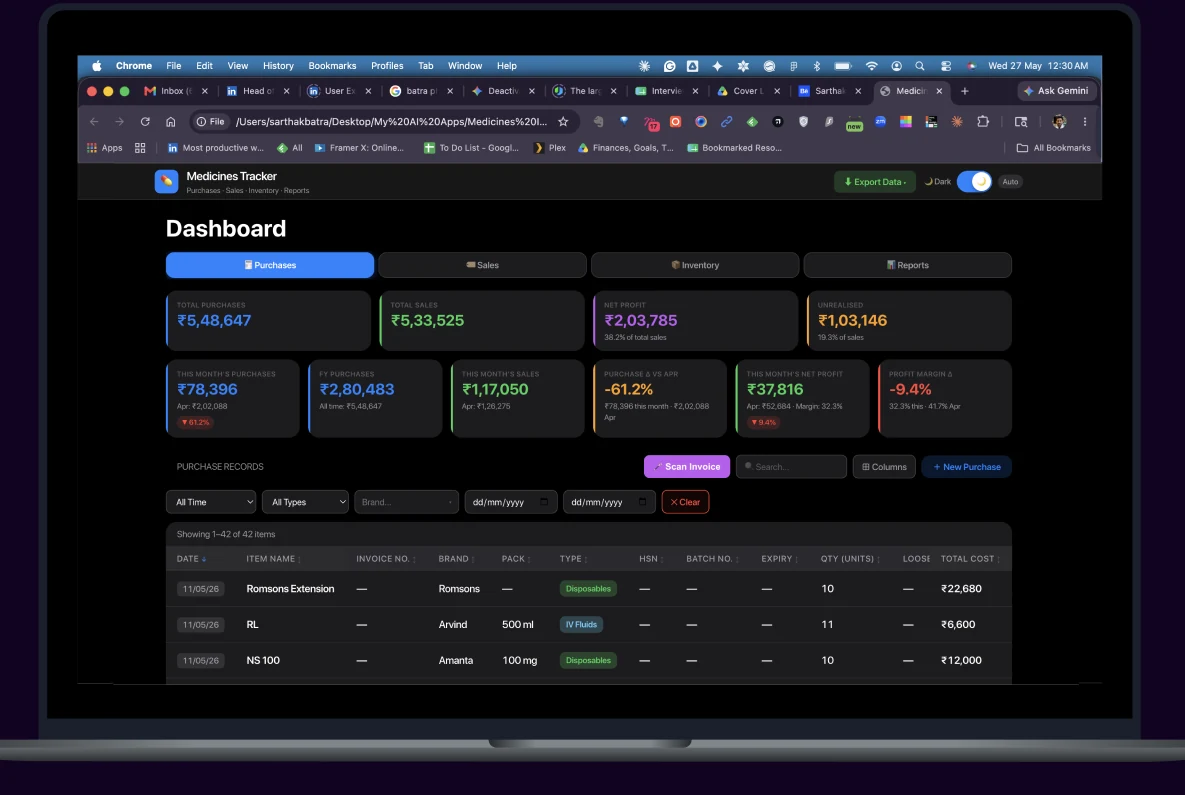
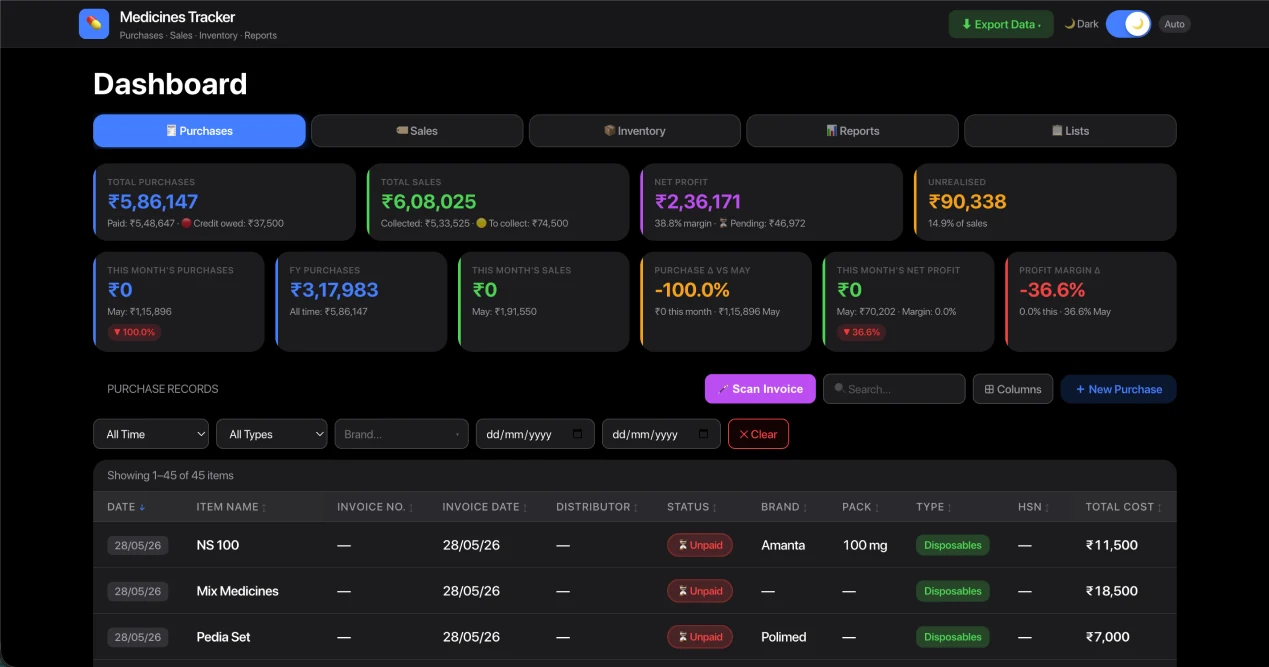
Medicines Tracker dashboard open in a browser on a laptop, showing purchase totals, sales, net profit and a purchase records table

Goal:

My Goal was business management that can handle the end to end operations of a newly Set Wholesale Business. The Aim was to build a Web App that can handle Purchase - Sale Flow, Distributor network management, Inventory Management, Invoicing, Taxation, Reports & Forecasting.

High Level User journey

Purchases
Sales
Distributor Management
Inventory Management
Invoicing
Reports & Forecasting
Tax Filing

Methodology & Scope of Work

1. Research on existing business application serving for these usecases.

1.1. Identify your usecases and grow your understanding of exhaustive usecases with what's already been built.

1.2. Userflow research on competitive products & how they solve user needs.

1.3. Competitive analysis on Softwares, their Features and their USPs.

2. Design

2.1. Create a basic app using your primary usecases.

2.2. Build the complexity gradually as you learn new usecases by using the application.

3. Implement the code

3.1. Implement a working app that is not just an interactive prototype but actual production ready code.

4. Test the App in Production

4.1. Test the app in real environment and run your business on actual conditions and improve your app accordingly.

Competitve Analysis

I used GoogleGeminiAI to do my bit of research to identify Apps that would suit Medical business needs.

Here’s what I found:

Zoho Books

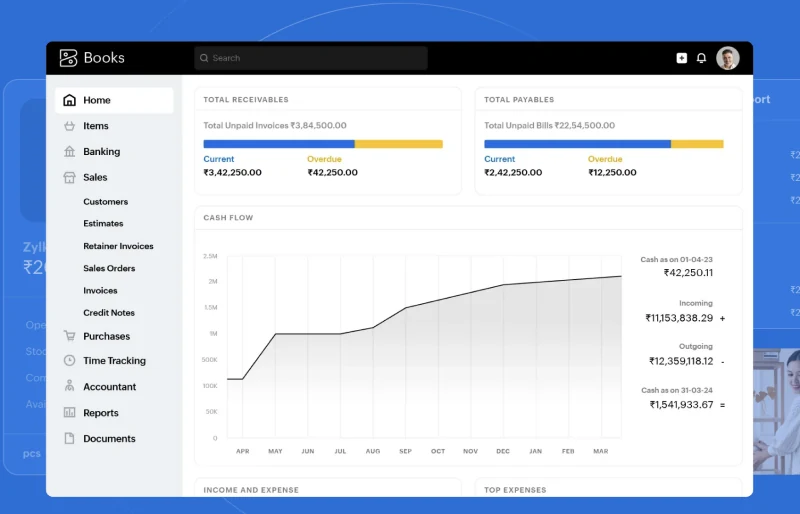
Zoho Books dashboard showing receivables, payables and a cash-flow chart

About the App

Zoho Books is an accounting software for all kinds of businesses, It integrates seamlessly with the broader Zoho suite if your business scales.

Pro

Zoho suite is exhaustive of complex ecosystem of Apps that specialise in different function.

Cons

It's not designed specifically for Medical business.

Vyapar App

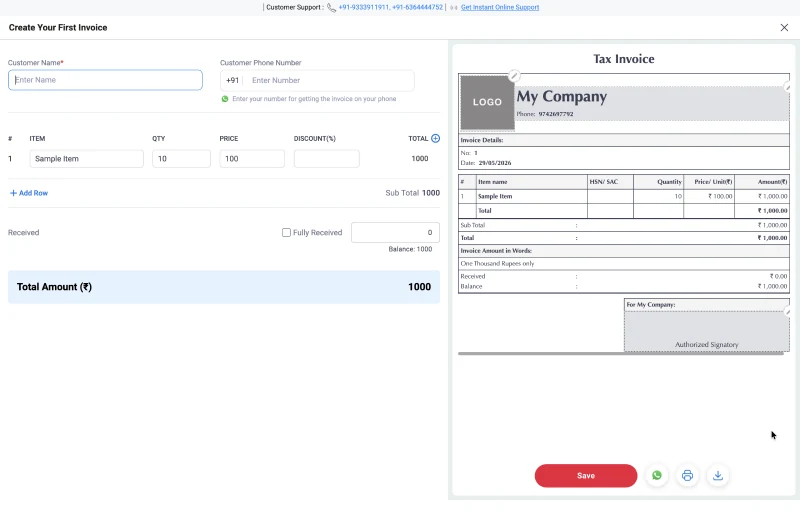
Vyapar invoice creation screen alongside a generated tax invoice preview

About the App

Pharmacy billing needs more than speed. Vyapar helps you reduce billing mistakes, keep medicine records structured, and handle daily pharmacy operations with more confidence.

Pro

Vyapar app is specifically designed for Indian Businesses and handles GST calculations very well.

Cons

Nothing until thorough analysis, probably the cost of the entire app is expensive.

myBillBook

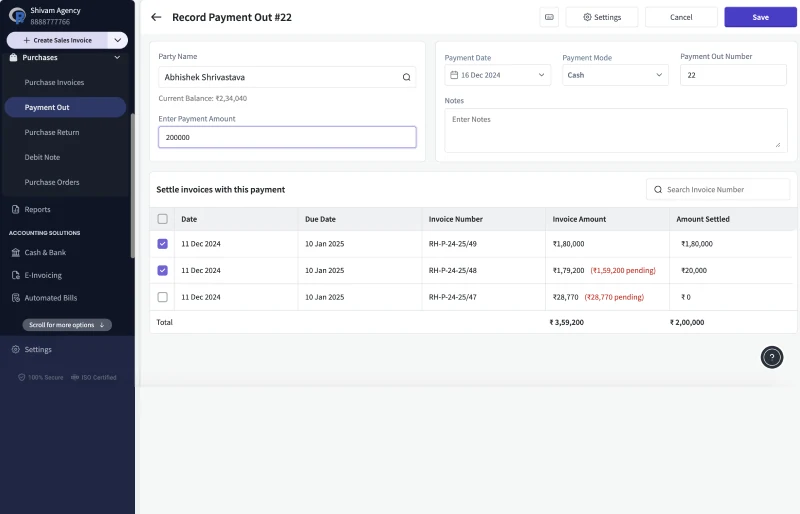
myBillBook payment-out record screen listing distributor invoices and amounts settled

About the App

myBillBook is designed specifically for people who run their business from a smartphone. Its "Auto Purchase Entry" feature is one of the most streamlined on the market.

Pro

OCR Power: You simply photograph a purchase bill; it identifies the items, quantities, and GST rates, and instantly updates your stock.

Cons

Its not designed specifically for Medical Business.

Design

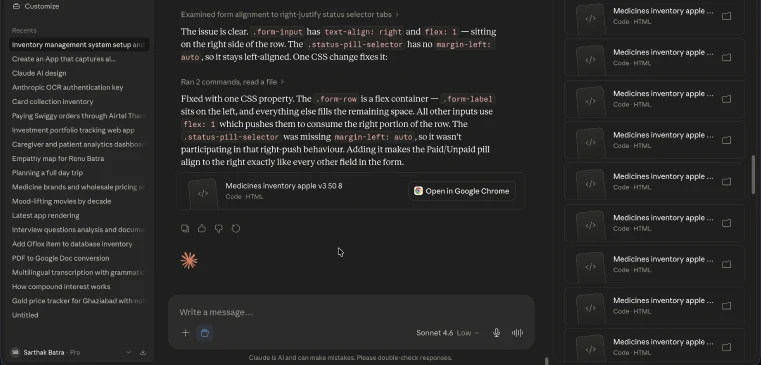
I used anthropic’sClaudeto build the app with some basic features first that make the basic architecture of the app.

Reason for Claude over Gemini or Figma make:

Claude generating the Medicines Tracker dashboard alongside its running code

Its not just a Design Prototype

1.

A web app gets generated as a result which is not a prototype but an codebase that actually runs on HTML, CSS and javascript. Moreover, Instead of Hardcoding the Data, I prompted Claude to save data in Browser's Cache for Database storage. This allowed me to run the App locally on my machine without getting into the complicated usecases like Cloud Hosting & Databases.

Gemini returning the app's HTML source in a code panel

Another Alternative

2.

Gemini gives a user a code that I could have copied and pasted in an environment like VS code to run it or a user can run the app locally in HTML & JS. Claude worked great for me so I went ahead with building the App further.

Figma Make's prototype output for the distributor screen

Figma make is great for UI Design but isn't good for Real Apps that have a Back-end.

3.

Figma make is a purely prototyping app but it cannot be used to create a pure front-end app. For a pure front end that works with React Framework and Tailwind CSS, I Found Claude Design serves this use-case the best.

Write Usecases & functional requirements

Writing usecases & functional requirements served as instructions forClaudeto understand the application’s context, who’s is it built for and write down code to put together a layout, build the first screens & feature sets of the app to fulfil these usecases.

Product Requirements

Purchases

  • Add Purchases
  • Maintain Inventory through Purchase history
  • Maintain Cost Price history
  • Generate Invoices for GST Filing

Sales

  • Add Purchases
  • Maintain Inventory through Purchase history
  • Maintain Cost Price history
  • Generate Invoices for GST Filing

Distributor Management

  • Distributor Listing
  • Link Items to each distributor
  • Business linked to each distributor

Inventory Management

  • List of Products
  • Sold by Distributor
  • Report on Inventory
  • Insights & Analysis upon Sale

Invoicing

  • Generate Invoice of Purchase
  • Generate Invoice of Sale

Reports & Forecasting

  • Report on Purchase & Sale items
  • Insights & Analysis upon Sale

Tax Filing

  • Generate Profit & Loss statement for Tax Filing Purposes
  • Calculate Business expenses based on bills

Visual Mocks

Results fromClaude

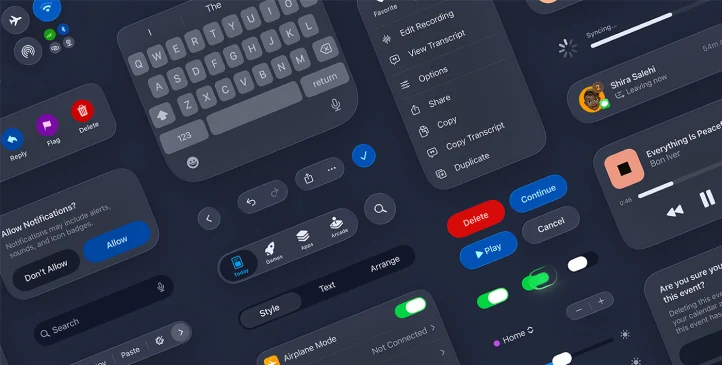
Apple desktop design system components laid out as a reference sheet

Step 1: Attach a Design System fit for your Product

I wanted a robust Design System that can handle my usecases, so I trusted Apple’s Desktop App Design System for this Job. It was a crucial step to do, and I believe if one wants to skip the step of wireframing all together, Creating or Attaching a Design System is a must.

Claude conversation listing product usecases and app feature prompts

Step 2: Product Usecases, User Flow & App Feature prompts

A Basic web app that does the following:
1. Captures Purchases, Sales of Items
2. Build Reports of Purchase, Sales & Profit
3. Remembers meta of item for second time entry.
4. Allows Dark & Light Mode for easy reading.

Iteration

Design + Code

Capabilities:

  1. Captures Total Purchases, Sales with basic data of items.
  2. Builds basic reports to showcase Product like profits, Total Profits, out of Purchase and Sales data.
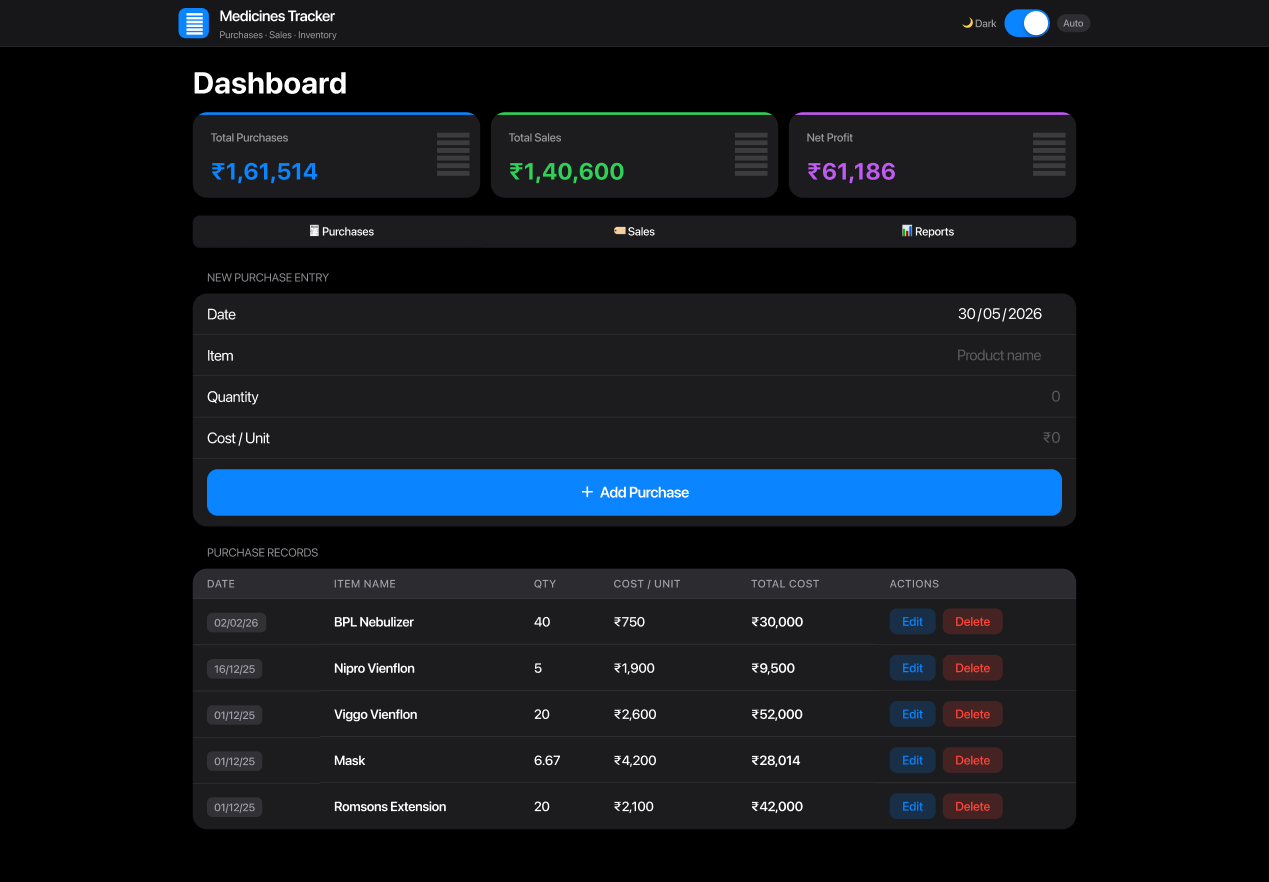
Early Medicines Tracker build with a new purchase entry form and a purchase records table

Iteration

Design + Code

Capabilities:

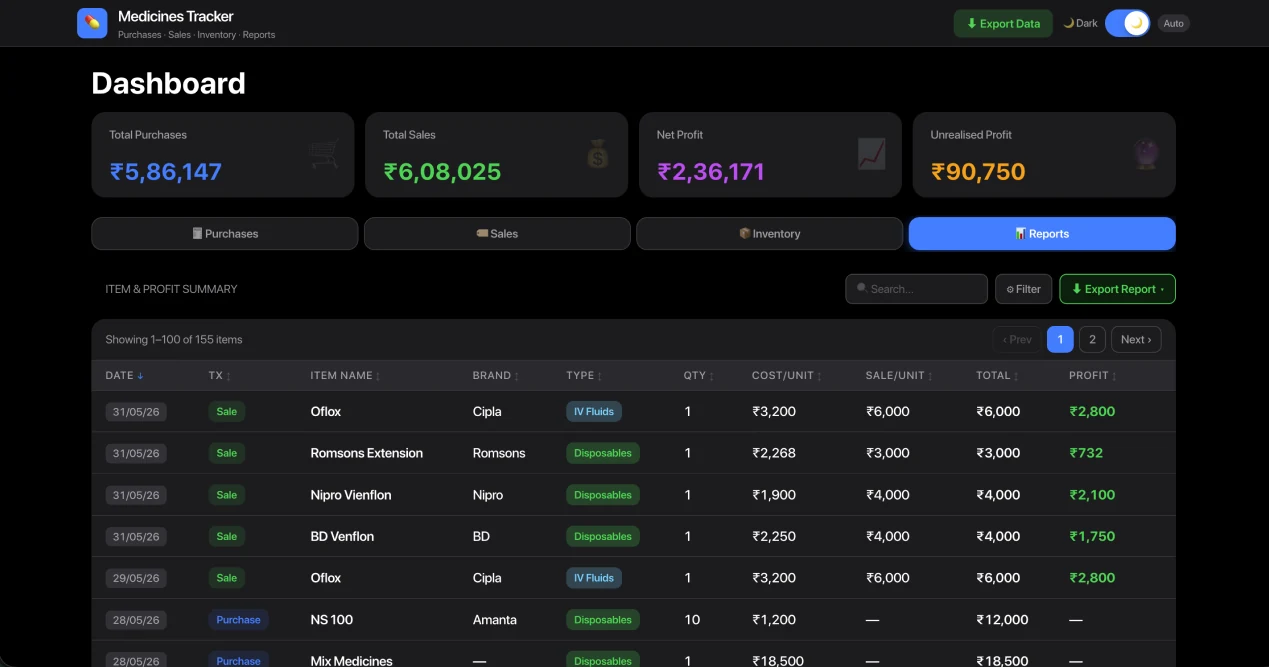
Introduced Inventory Tab that showcases Items, In stock, Out of stock, cost & sale price, profits made on each item.

  1. Inventory
  2. Export data into .csv, .xlsx
  3. Import data via .csv and .xlsx
  4. Backup data for version keeping and ensuring data doesn't get corrupt or goes missing.
Medicines Tracker dashboard with an item and profit summary table under the Reports tab

Iteration

Design + Code

Capabilities:

The App constitute all the functionalities to run a scalable medicines business.

There are as follows:

  1. Entries with Invoice no. for both Purchases & Sales.
  2. Reports provide users with critical operational insights, helping them make informed business decisions such as identifying which items to purchase and determining appropriate stock quantities based on sales performance.
Medicines Tracker dashboard showing purchase records with invoice numbers, distributors and payment status

AI Design Workflow

Workflow: Figma to Claude to GitHub to Supabase to Netlify

Created App using Figma + a Design system that fits your App's usecases.

Uploaded Figma file to Claude or connect Claude MCP and wrote the Product description, use-cases & technical requirements.

Created a Github repository and uploaded code that created branches & version control.

Deployed Supabase as database server and linked it with Github for version control of the database as well.

Creating a hosting server at netlify and linked it with Github repo and it ensures the latest build is always hosted.

Final Design

Design + Code

Capabilities:

The Latest design caters to auto-entries by using these 3 technologies powered by Anthropic’s API.

  1. Scan Invoice using OCR
  2. Scan items via Barcode
Final Medicines Tracker dashboard with Scan Invoice and New Purchase actions

Final Design

AI Intelligence

Capabilities:

As I did sales for 6 months, I implemented an AI driven functionality called Reports.

Reports do the following:

  1. Identifies amount of stock to buy to keep a 2 month inventory based on real-time consumption.
  2. Business Strategies recommendations show how to make more profit.
  3. Low Performers items: User can decide discontinuation or reduce quantity for purchase orders.
Medicines Tracker dashboard with AI-driven reports across purchases, sales and profit margin

Thank You