Case study · SugarBox Networks · 2022
Redesigning e-commerce for SugarBox
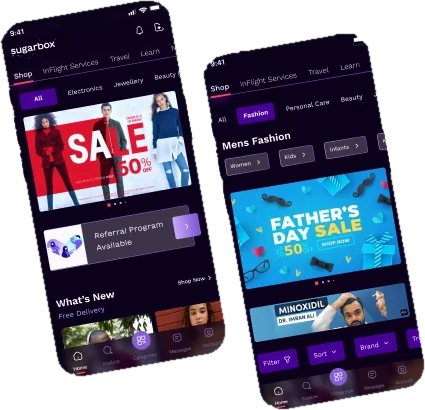
A hyperlocal content app on 500+ Wi-Fi zones had brands lining up — but almost nobody was buying. This is how we found out why, and redesigned discovery to fix it.
01 · Problem
The problem
Over the recent weeks, not only have we seen e-commerce traction in onboarding brands, but we are also seeing initial traction in terms of transactions. It makes sense now to define an overarching and coherent strategy for e-commerce on the SB platform to guide business, product and design decisions moving forward.
Multiple approaches were used to identify the problems with the e-commerce category, to address two fundamental questions:
Why is there a low conversion rate for e-commerce in the SugarBox App?Question one · Conversion
What strategies should we implement on business, product & engineering level to ensure e-commerce succeeds as a category?Question two · Strategy
02 · Objectives & goals
Objectives & goals
The project started with the context set by the business head: the business goals we wanted to achieve with the e-commerce category, and the challenges identified about its value proposition and market positioning.
Strengthening our brand positioning
The experience of finding your next favourite brand previously unknown to you, and getting amazing deals on it exclusively on SugarBox.
New user acquisition & engagement
Ensure users are acquired through great deals, but kept engaged by a lasting incentive to come back — e.g. loyalty programs.
Gather consumer insights
Analyse consumer browsing & purchase behaviour and use it in more effective marketing strategies and more personalised experiences.
03 · Scope of work
Scope of work
My Role & Skills
- User experience strategy
- Stakeholder management
- Project planning & allocation
- Facilitate output-oriented primary research
- Conduct design thinking workshops
- Guide & co-design UX/UI outputs
- Proposal to the CEO & all function heads, based on real insights, to fine-tune business strategies and discuss product roadmap prioritisation
04 · Design process
Design process
I applied a framework based on the Double Diamond theory and the Lean UX process with my team. There was an opportunity to discover problems and user needs, and define the scope of the product, before designing the actual solution.
05 · Phase 01 · Discover
Understanding the business requirements
The project started with the business head setting the context, the business goals we wanted to achieve with the e-commerce category, and the challenges identified around its value proposition and market positioning.
Business context
Over the recent weeks, not only have we seen e-commerce traction in onboarding D2C brands, but we are also seeing initial traction in terms of transactions. It makes sense now to define an overarching and coherent strategy for e-commerce on the SB platform to guide business, product and design decisions moving forward.
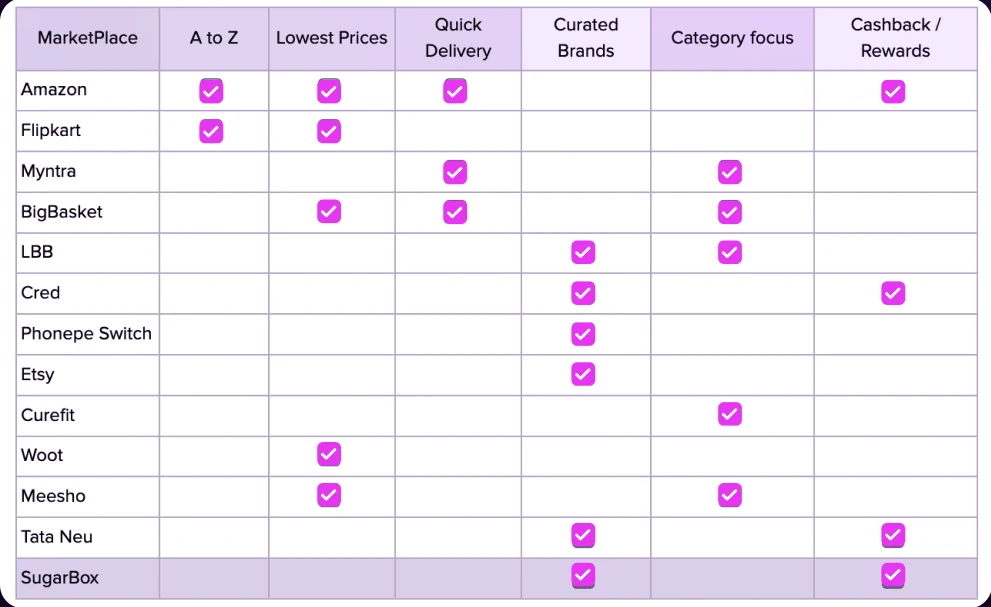
Brand positioning for e-commerce category
The experience of finding your next favourite brand previously unknown to you, and the possibility of encashing your engagement in our platform to get amazing deals, builds into the magical digital experience brand positioning of SugarBox.
06 · Phase 02 · Research
Secondary research & product experience analysis
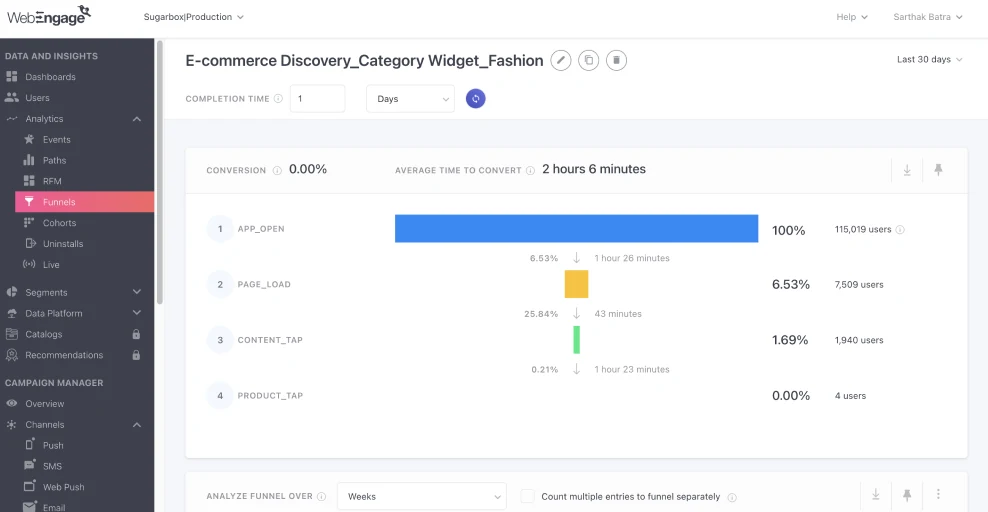
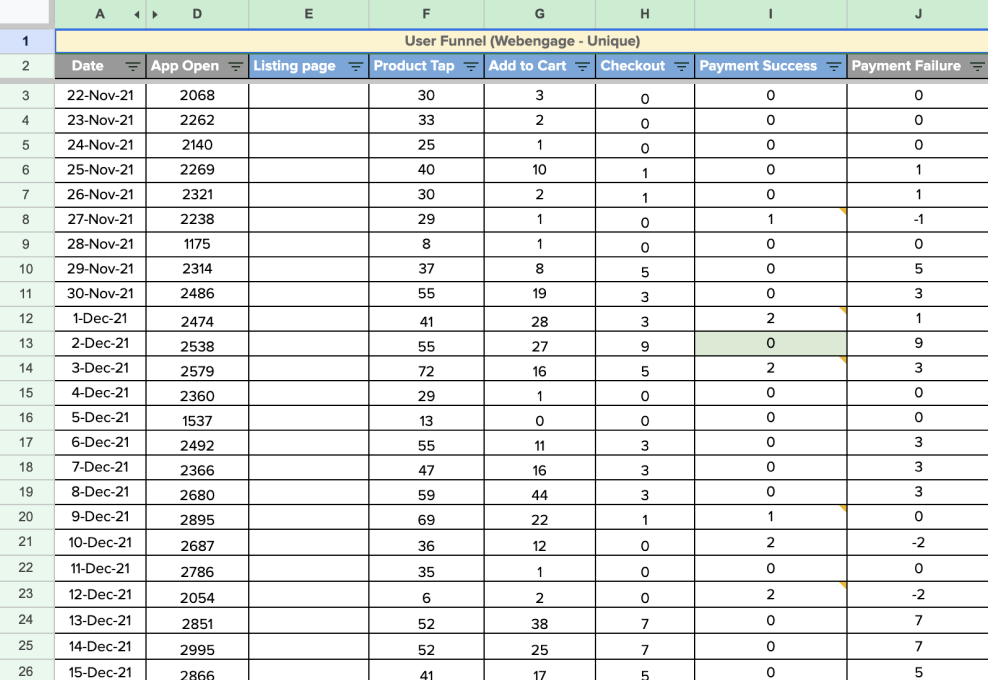
We started by looking into data about what our users were doing. An extensive exercise of existing e-comm event tracking and funnel mapping was done with Product and Marketing stakeholders, and the following results surfaced.
Research findings
Among 70 product taps averaged in a week, only 2 reached the order-checked-out stage.
Successful orders in total in the month since the e-comm category launched.
Drop-offs across captured events — insights into the effectiveness of UX, and tech issues in the app.
Heuristics evaluation
We did a heuristics evaluation as UX/UI experts to find usability issues, anticipating user behaviour and empathising with reasons for drop-offs. Earlier analytics for events like “Carousel” and “Shop icon tap” told us which user flows to focus on.
Home page
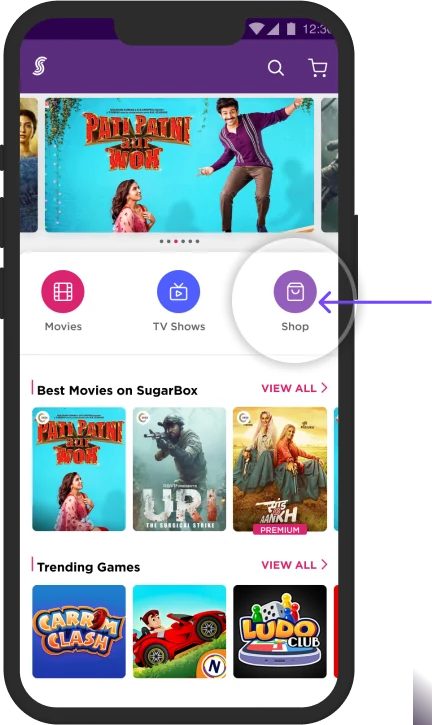
Low tap rate
There were hardly any clicks on the Shop tab. The only way users went deeper into the e-comm funnel was through content rails on the homepage.
Most users never discovered 95% of our product catalogue.
Primary research
User research
Methodology · User surveys
A Google survey form was sent as a direct mailer to existing SugarBox users to learn key information about them and their e-commerce shopping behaviour.
Objectives
- Find triggers and influencing factors that lead users to visit e-comm sites and buy.
- Study behaviour and derive shopping patterns in discovering, considering and purchasing different categories.
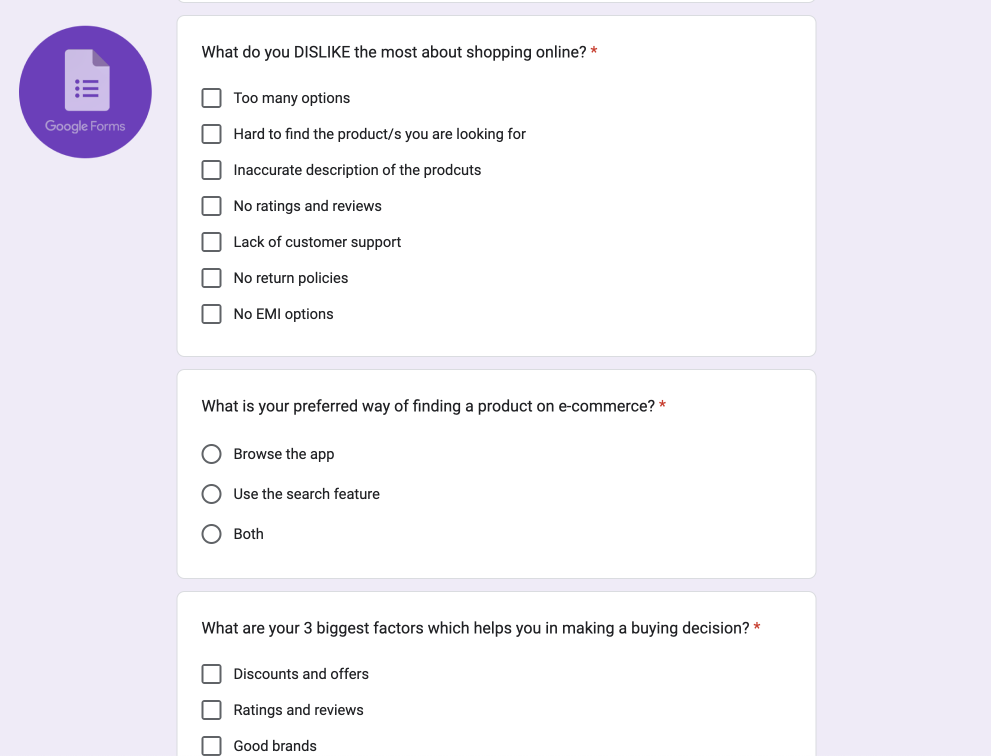
Key results from research
- Ease of shopping86%
- Return Policies83%
- Discounts/Offers73%
- Reviews/Ratings73%
- Wide range70%
- Compare Products43%
- Sometimes66%
- Never23%
- Quite Often10%
Top pain points
- Bad quality, damaged or wrong products delivered.
- Product description differs from the actual product.
- Refund-related hassles.
- Delayed deliveries; no return or replacement policies.
- Poor customer service for order issues.
- Trust issues of being a fraud e-commerce site.
- Confirmed orders cancelled due to out of stock.
- Belief that platforms carry many fake reviews.
Secondary research
Consumer shopping behaviour varies from digital to traditional shoppers. Younger, digital consumers seek personalisation and technology over promotions, whereas the traditional, older generation values true savings.
Source: skai.io/blog/consumer-shopping-behavior
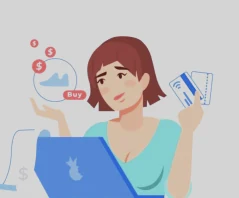
Digital Consumer
18 to 37 years old
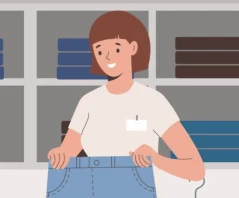
Traditional Consumer
38+ years old
Phases of the Consumer Funnel
Research
Digital Consumer
- 62% — Build a shopping list
- 59% — Compare prices
- 44% — Look for offers & discounts
- 49% — Check customer reviews
Traditional Consumer
- 57% — Build a shopping list
- 64% — Compare prices
- 57% — Look up offers & coupons
- 42% — Look up product information
Purchase & Expectations
Digital Consumer
- 77% — Same-day delivery
- 84% — Free delivery
- 71% — Prefer automated pick-up and return processes
- Look for personalisation
Traditional Consumer
- 57% — Same-day delivery
- 64% — Free delivery
- 41% — Automated pick-up processes may be nice, but not necessary
- Focus on availability; pay via COD
Transaction & Delivery
Digital Consumer
- 65% — Want personalisation
- 61% — Want a curated selection of products from SMEs
- 60% — Want recommendations based on what is closest to their choice
- Free delivery is good, but not necessary
Traditional Consumer
- 63% — Want an app to notify them when out-of-stock products are available
- 60% — Want to search in-store inventory
- Prefer free delivery
Social Satisfaction
Digital Consumer
- 61% — of shoppers share a positive experience on social media
- 56% — of shoppers share a negative experience on social media
- 100% — All shoppers said they would stop shopping at a retailer altogether after a bad experience
Traditional Consumer
- 29% — of shoppers share a positive experience on social media
- 27% — of shoppers share a negative experience on social media
- 100% — All shoppers said they would stop shopping at a retailer altogether after a bad experience
Competitive analysis
We looked at various e-commerce platforms and identified a high-level user journey for our initial brainstorming of journey maps and product ideation.
- 01Awareness
- 02Discovery
- 03Consideration
- 04Purchase & use
- 05Loyalty & advocacy

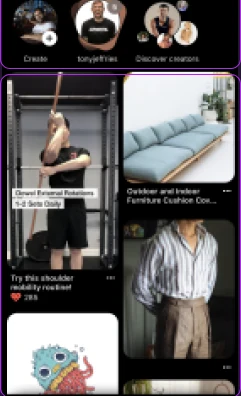
Discovery of products & services
A user sees new posts and reels based on pre-selected interests.
Pins below are arranged from previous searches and browsed categories.
07 · Phase 03 · Define
User personas
Type of users
| User type | Shopping behaviour | Key goals |
|---|---|---|
| Product focused | Know exactly what they want |
|
| Browsers | Go to favourite or new sites for inspiration or to kill time |
|
| Researchers | Plan to purchase — today, next week, or in six months |
|
| Bargain hunters | Look for the best deal possible |
|
| One-time shoppers | Visit once, for a one-time need |
|
Personas

The browsing shopper
“I enjoy browsing the internet for inspiration and purchasing items when I like what I see.”
I’m Ritika Agarwal, a 32-year-old teacher from Bangalore. Once a month, I do grocery shopping. Making a list, going shopping, carrying the items home, and everything in between takes time, effort, and is frustrating.
Main goals / what do they want?
- To get my household groceries delivered monthly, with least effort.
- To discover offers and discounts and ensure I get the best price.
Pain points
- Offline shopping takes time — locating items, queues, carrying everything home.
- I want to keep tabs on my spending and get the greatest deal.
Apps frequently used
Product of interest

User journeys
08 · Phase 04 · Design
Potential product ideas
Opportunities across the journey
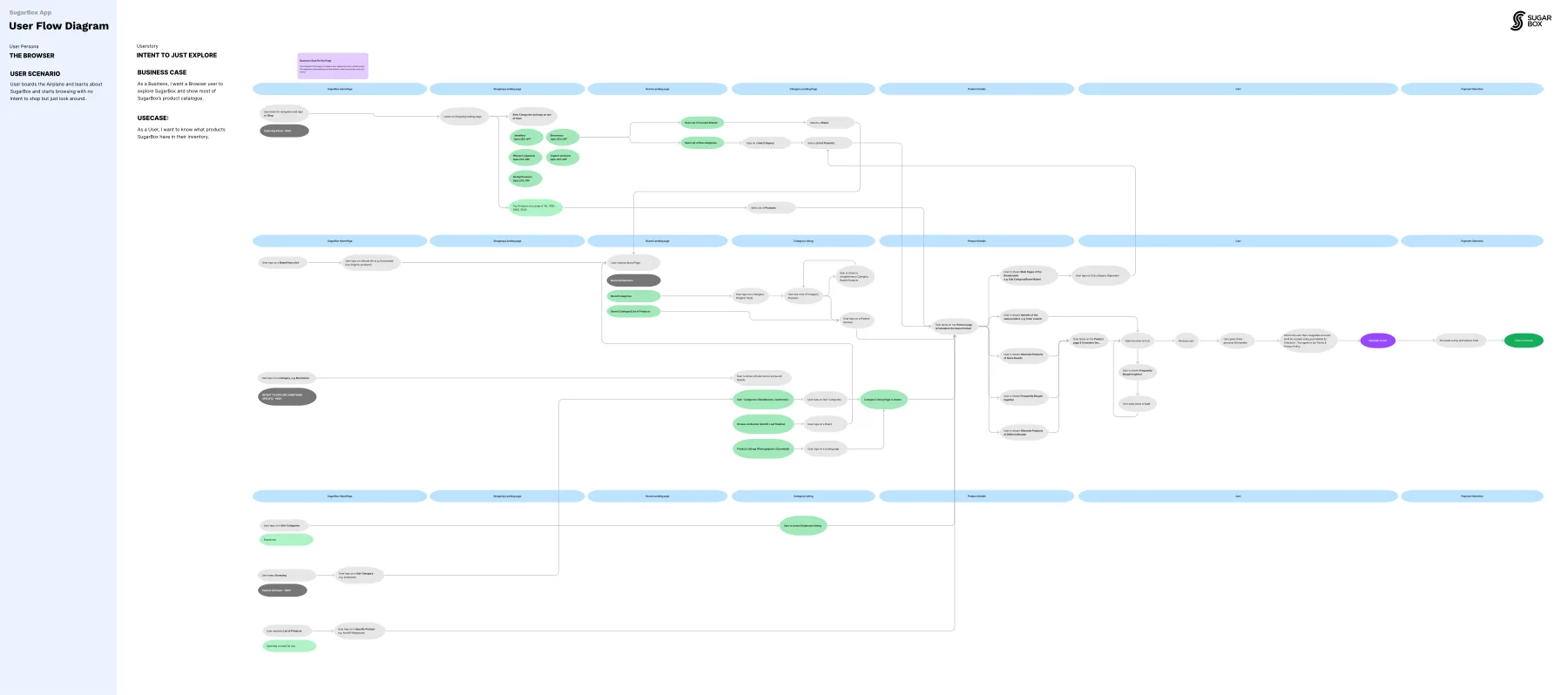
User story · The browser
Opportunities for onboarding
We followed the browsing shopper's first visit and marked the moments where onboarding could set expectations early and bring them back. The next five ideas come from these moments.
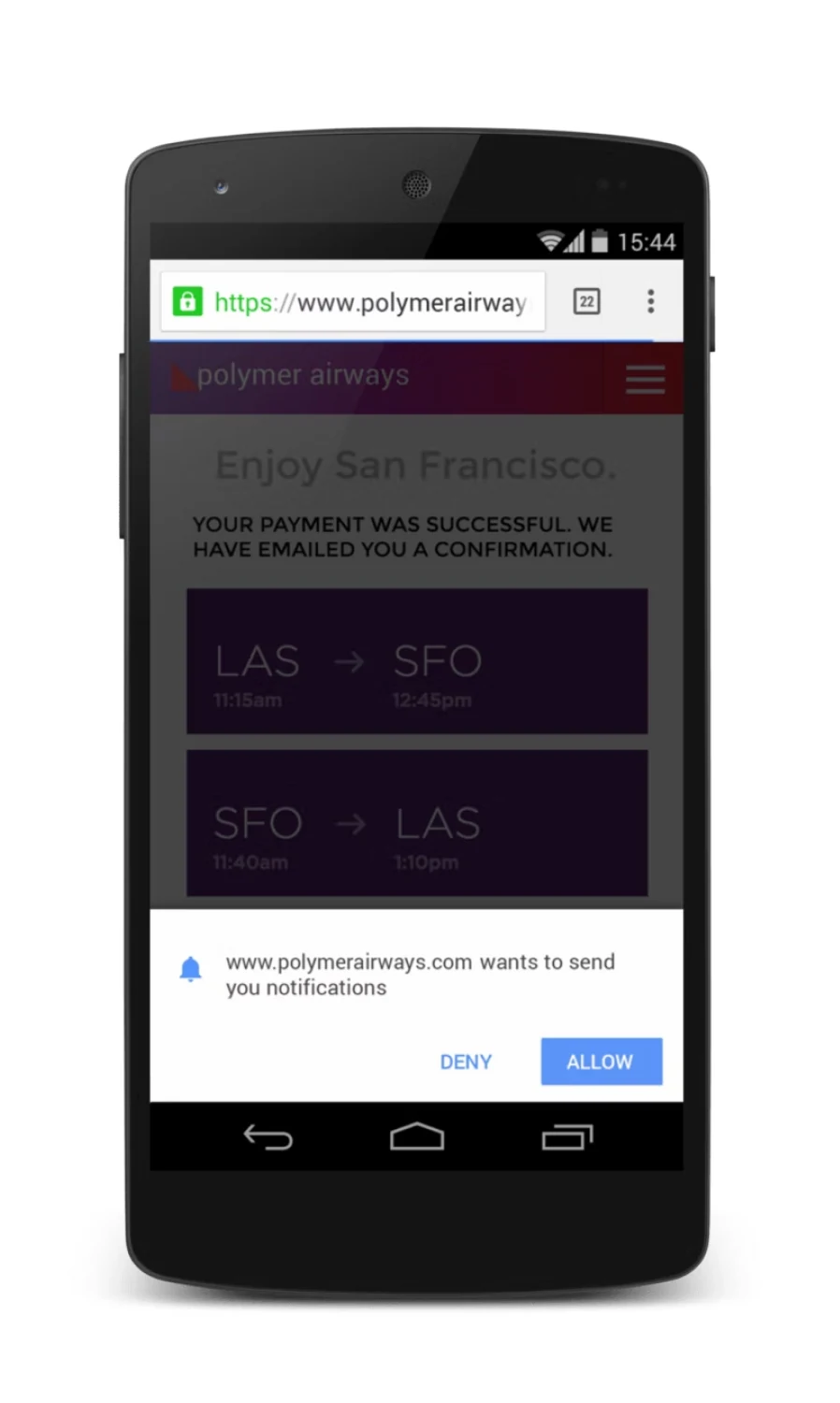
Opportunities for onboarding · Idea 1
Get push notification permissions for the web app
When a user logs in to the mobile web app, ask them to accept notification permissions.
Flipboard saw 75% growth in mobile active users — “Bringing Push Notifications to the Mobile Web”
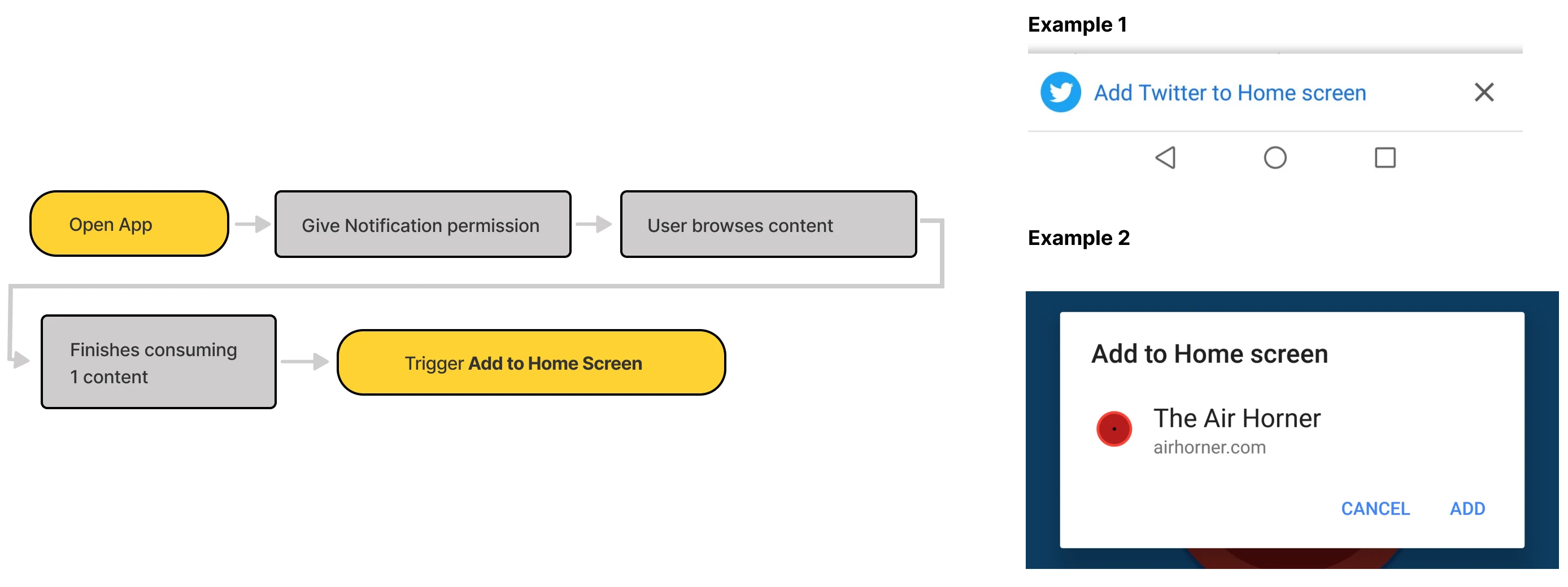
Opportunities for onboarding · Idea 2
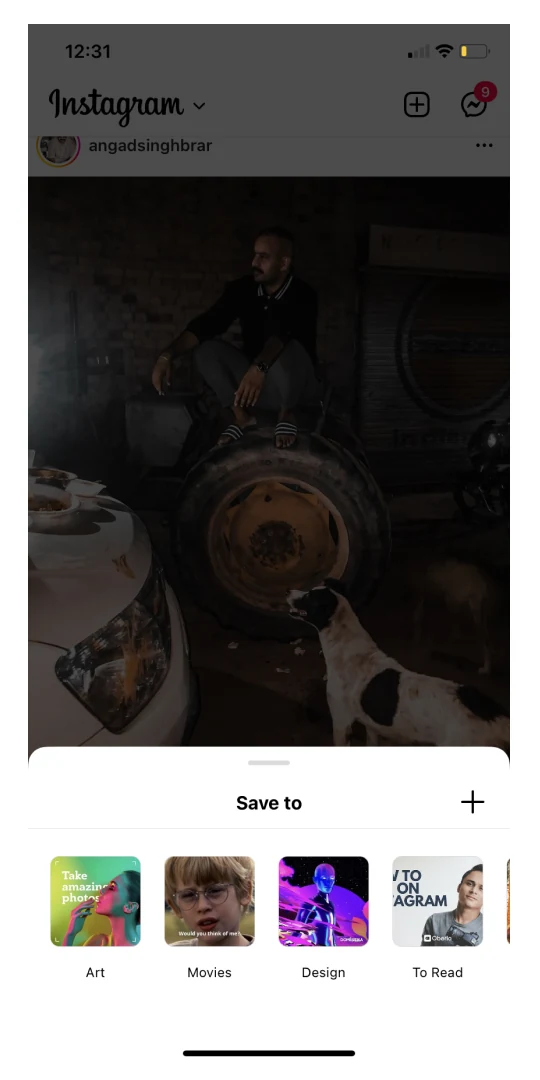
Add to home screen overlay
The overlay should only appear after at least one successful task.
- Open the app
- Give notification permission
- Browse content
- Finish consuming one piece of content
- Trigger “Add to Home Screen”
Opportunities for onboarding · Idea 3
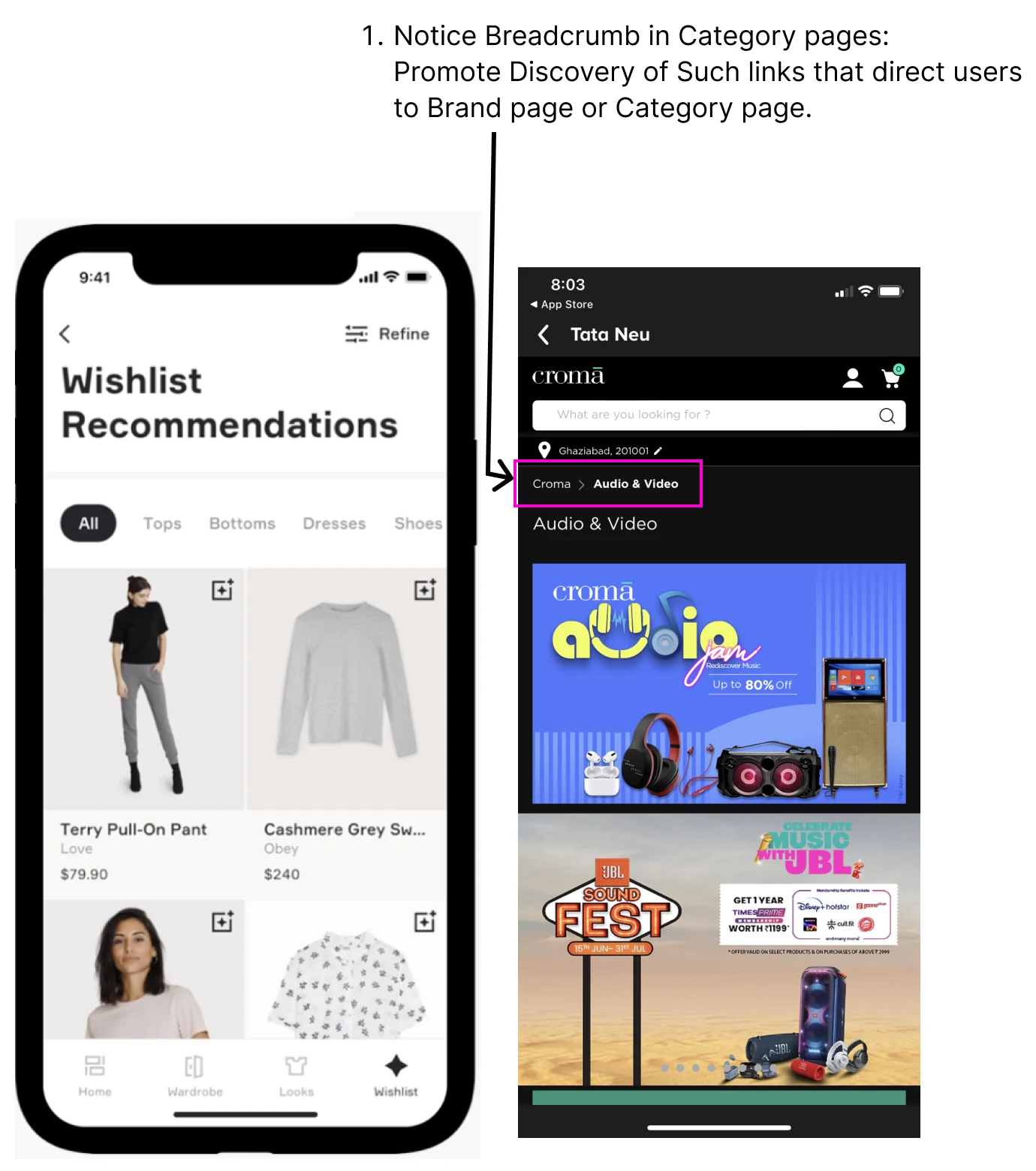
Onboard the key interactions
Teach the interactions we’d like users to know, so expectations are set early — a mental model for the app, a habit, and data towards consumption, conversion and engagement goals.
- Teach users to like content
- Teach users to dislike content, with objective feedback — not interested, or the wrong language (video only)
- Teach users to curate items in a favourites list
Opportunities for onboarding · Idea 4
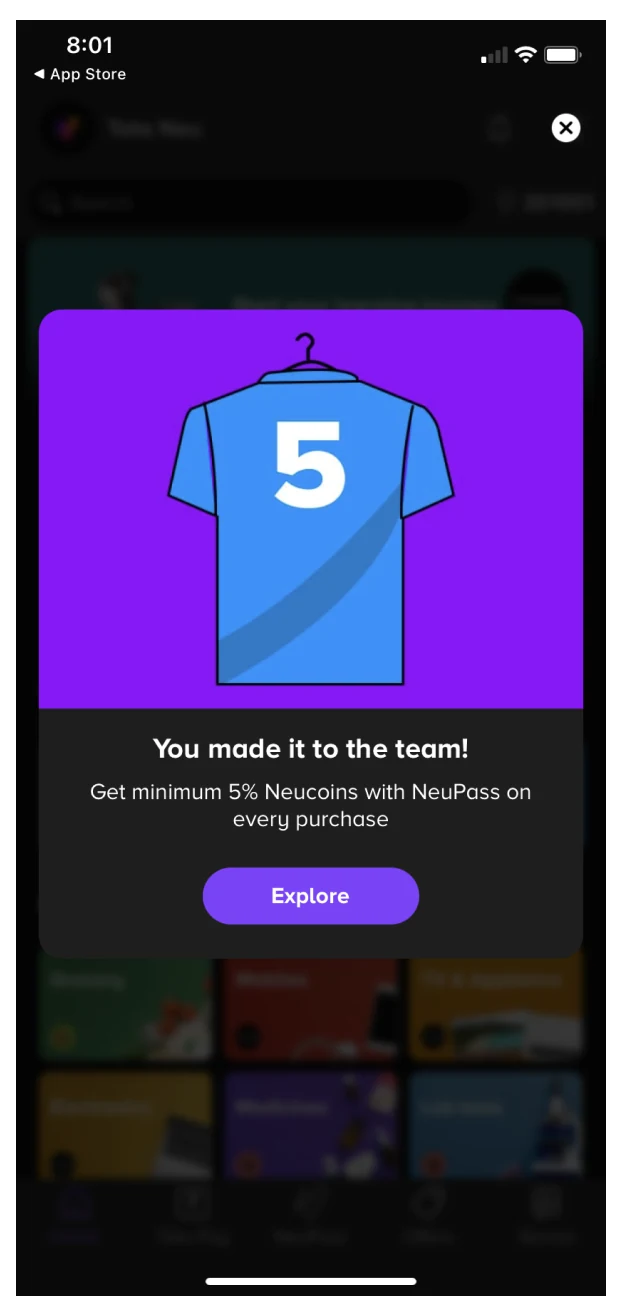
Onboard the e-commerce interactions
The same idea for shopping: introduce the interactions that lead to more products.
- Promote favouriting, and adding items to the cart
- Power features that discover more products from the listing page
- Encourage discovery of category landing pages from the home and listing pages
- Point out breadcrumbs on category pages, which lead to a brand or category page
Opportunities for onboarding · Idea 5
A get started guide
Build the app around a loyalty program: every positive activity earns users virtual coins.
- Coins for data consumption
- Coins for purchases
- Coins for successful referrals
- Coins for creating a profile
User story · The browser
Opportunities for discovery
We mapped where the browsing shopper loses interest and marked the moments where better discovery could change the outcome. The next eight ideas come from these moments.
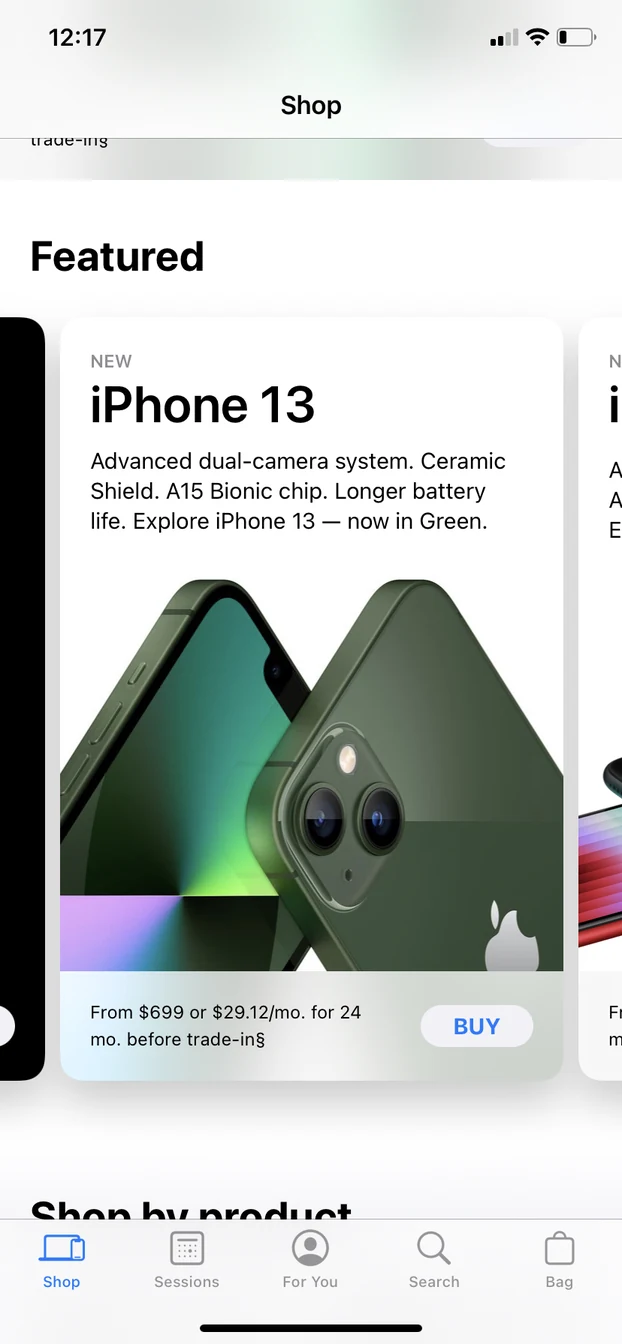
Opportunities for discovery · Idea 1
Homepage first fold
Choose top content from all categories and showcase it on the first fold.
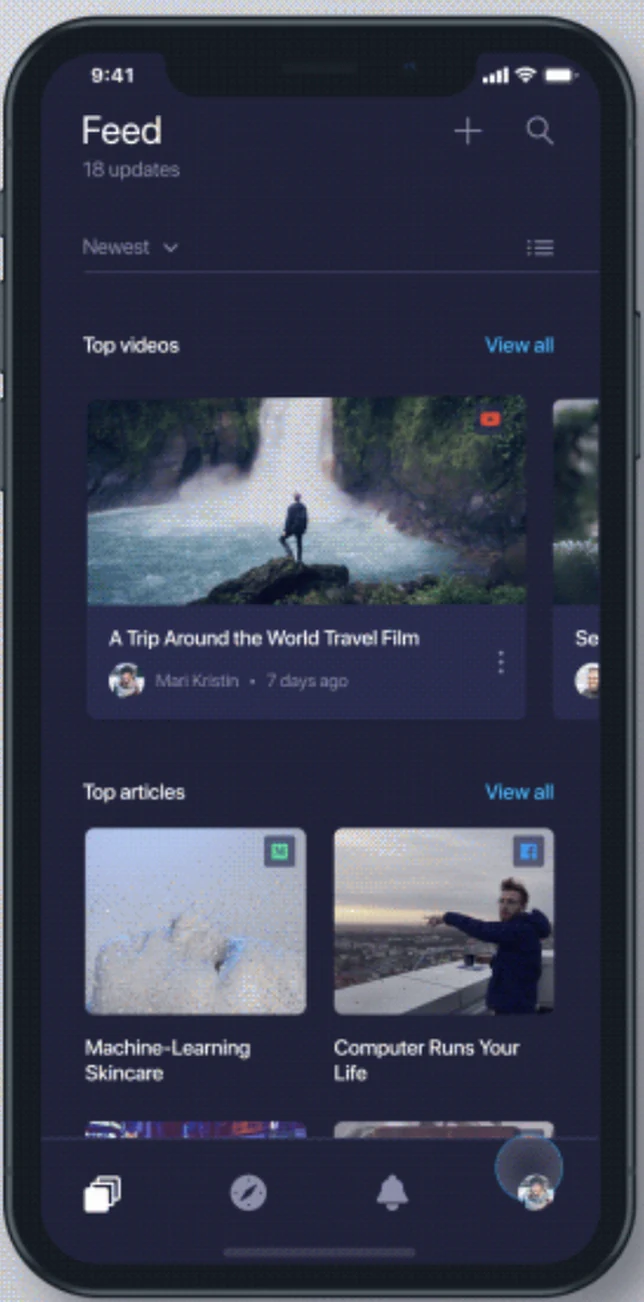
Opportunities for discovery · Idea 2
Related content from user activity
Show related content based on likes, dislikes and curated lists in real time. Refresh content on endless scroll whenever a user likes or adds items to a list.
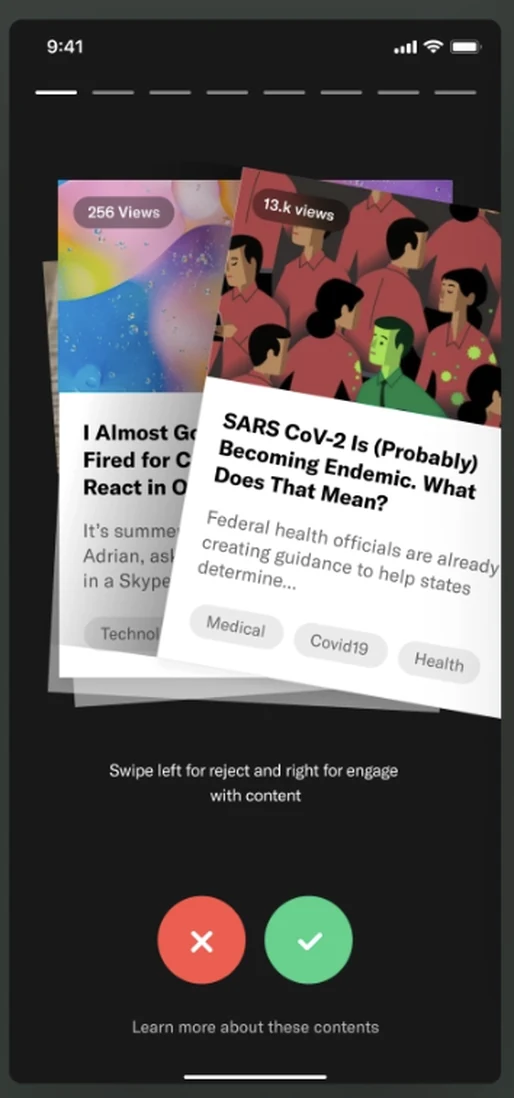
Opportunities for discovery · Idea 3
Like or dislike — Top 100
Discover Top 100 as a category: explore 100 pieces of curated content to find out what’s new. It works opposite to likes and dislikes — more of an exploring tool.
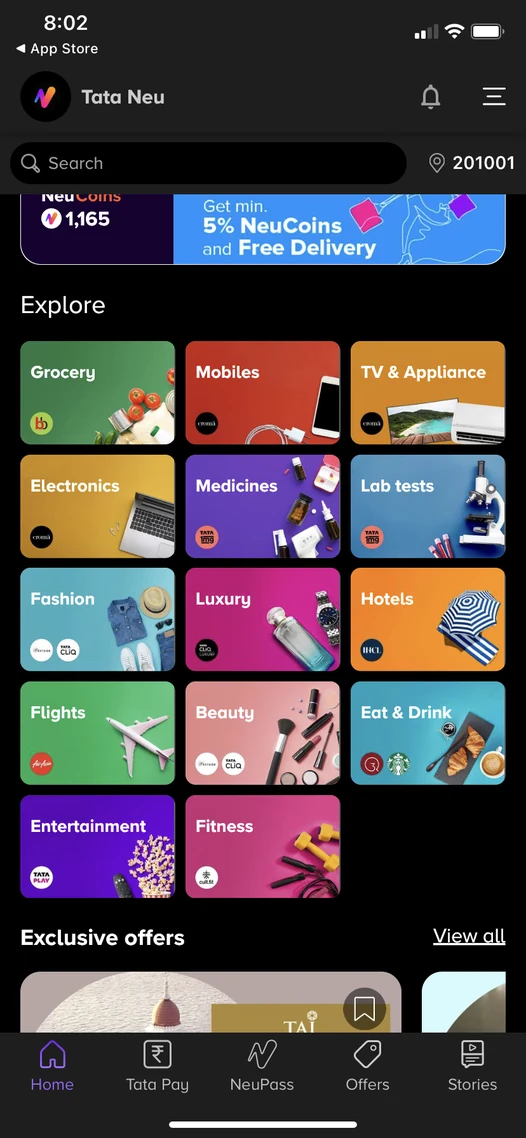
Opportunities for discovery · Idea 4
Emphasise discovery of all categories
Showcase e-commerce subcategories upfront — more partners would come in future and get discovered this way.
Opportunities for discovery · Idea 5
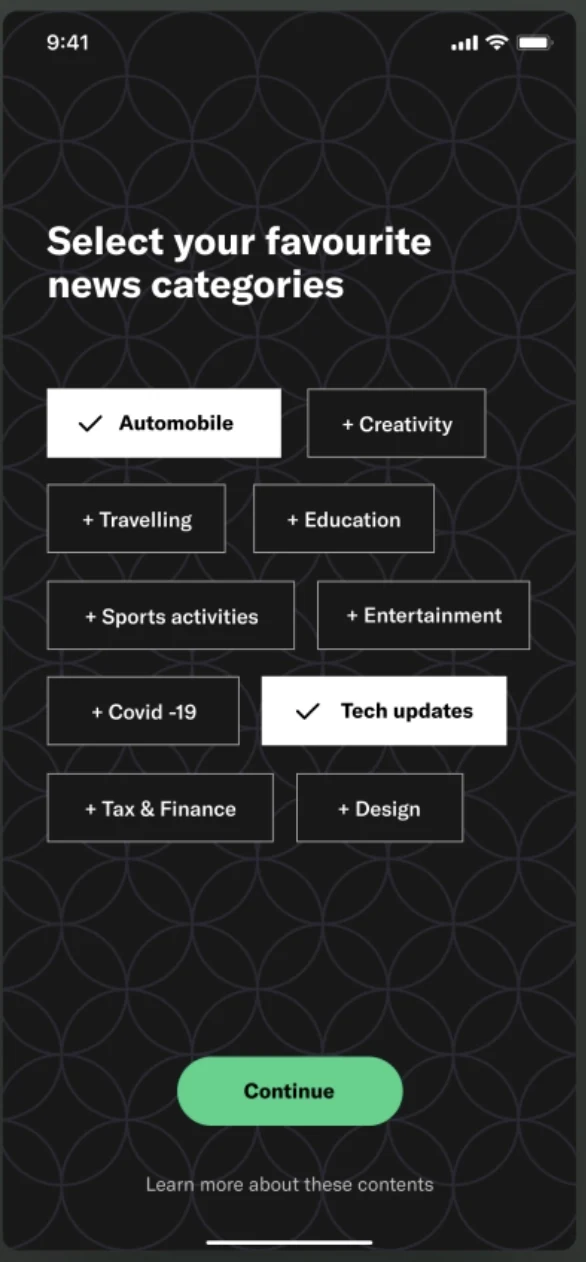
Know your user’s interests
Display 75% of the content type users selected; the rest is for discovering new categories. Users pick keywords on every category landing page to curate their first set of content.
Opportunities for discovery · Idea 6
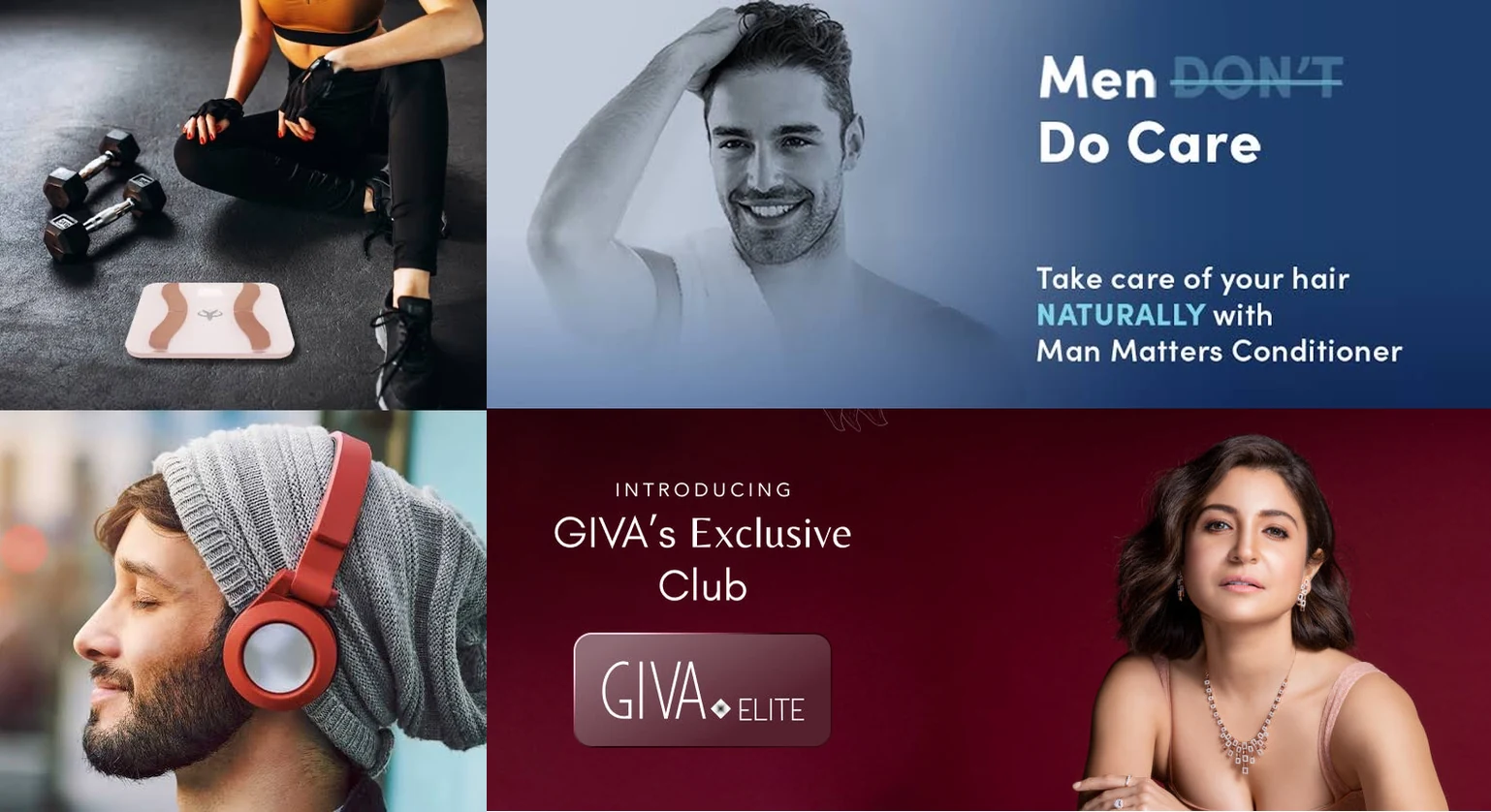
Promote brands with the right visual merchandising
Users wouldn’t know what products brands offer — help them with the right visual or copy.
Opportunities for discovery · Idea 7
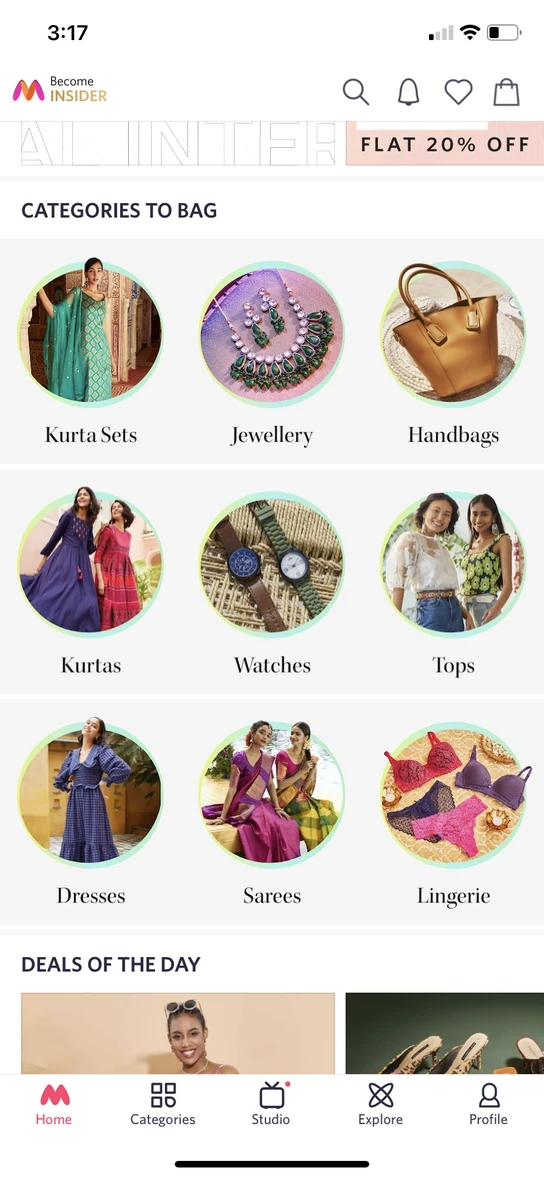
Subcategories on category landing pages
Enable subcategories and experiment with multiple touchpoints for adoption.
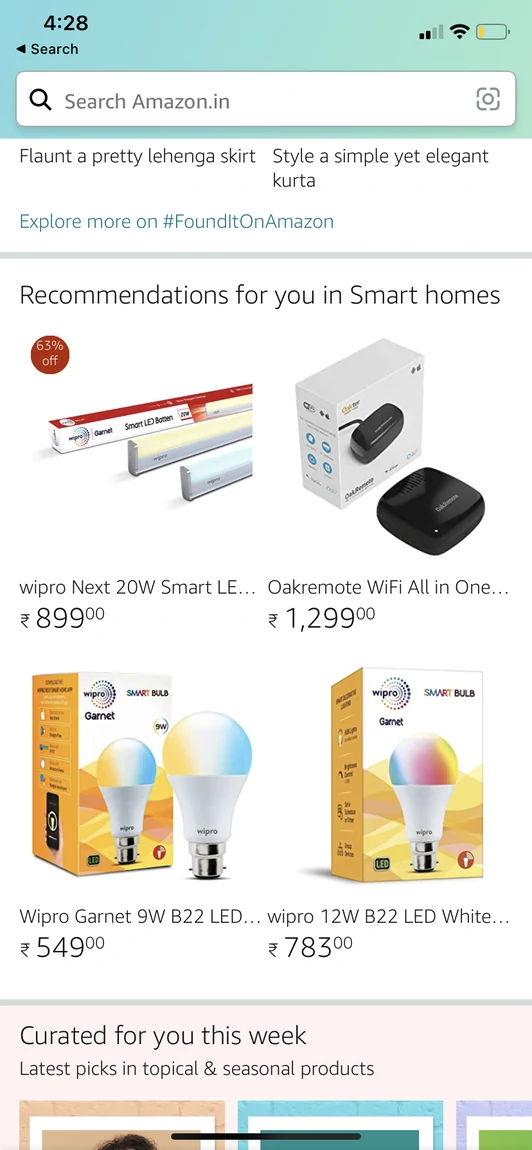
Opportunities for discovery · Idea 8
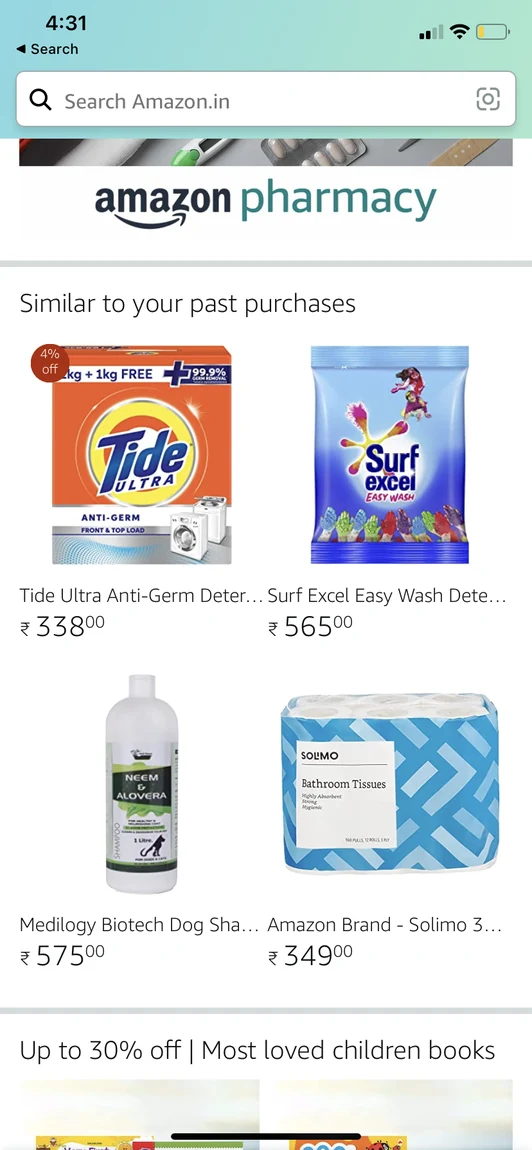
Recommend products from browsing history
Build a recommendation engine mapping complementary products. Save browsing history and past purchases so users can resume shopping, and show wishlist items.
User story · The browser
Opportunities for consideration
We followed the browsing shopper to the product page and marked the moments where they weigh whether to buy. The next ten ideas come from these moments.
Opportunities for consideration · Idea 1
Remind users to curate items in lists
A like button on every post, with feature onboarding, and a way to add any content to a list or folder of the user’s own.
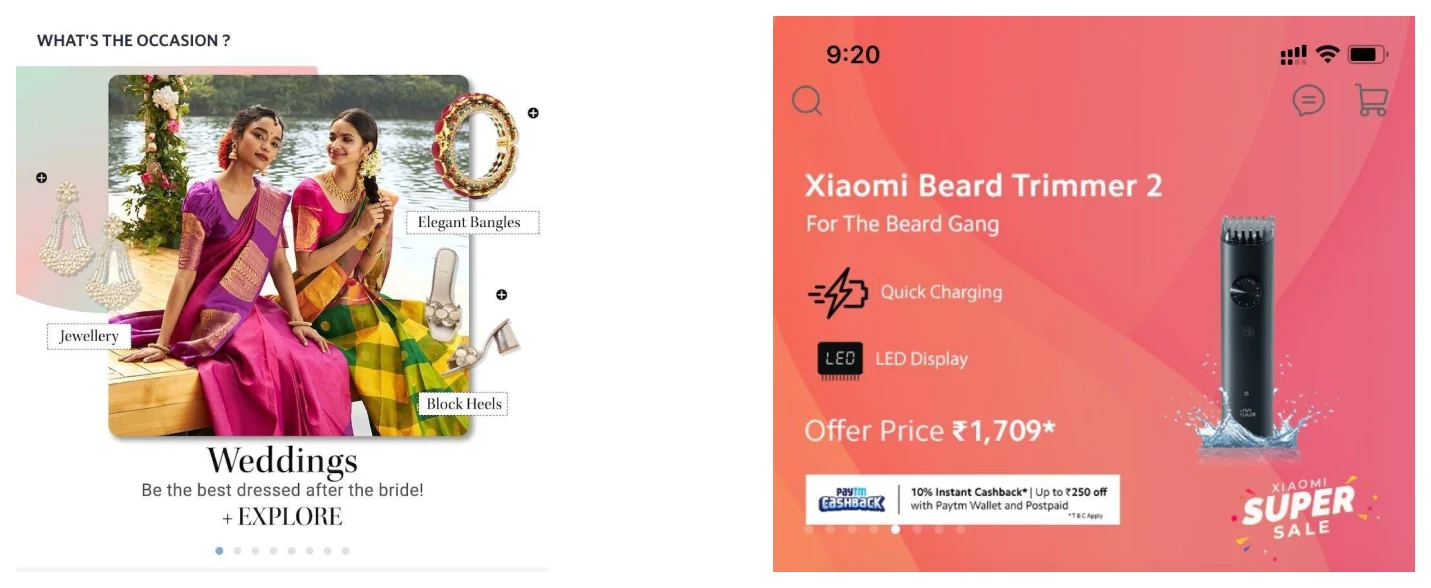
Opportunities for consideration · Idea 2
Occasion and discount categories
Occasion- or discount-based categories that help users consider gifts others are buying for the same occasion.
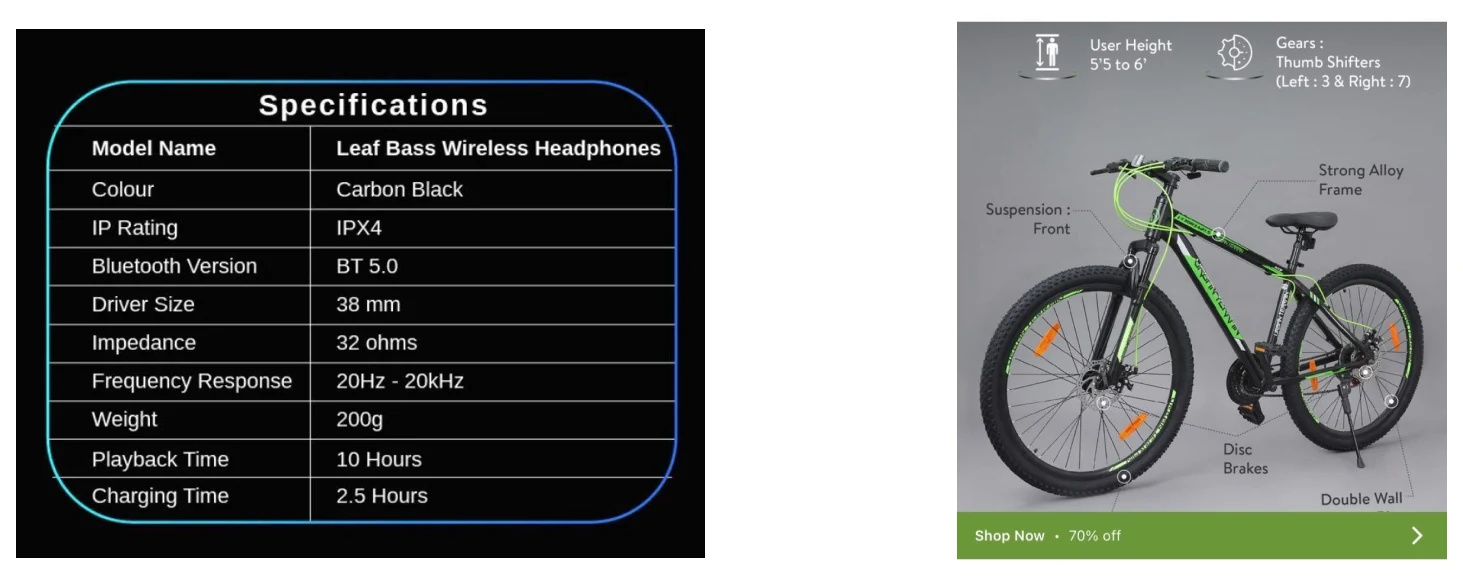
Opportunities for consideration · Idea 3
Compelling product descriptions
Unique product descriptions that describe the product’s proposition accurately while enticing users to buy.
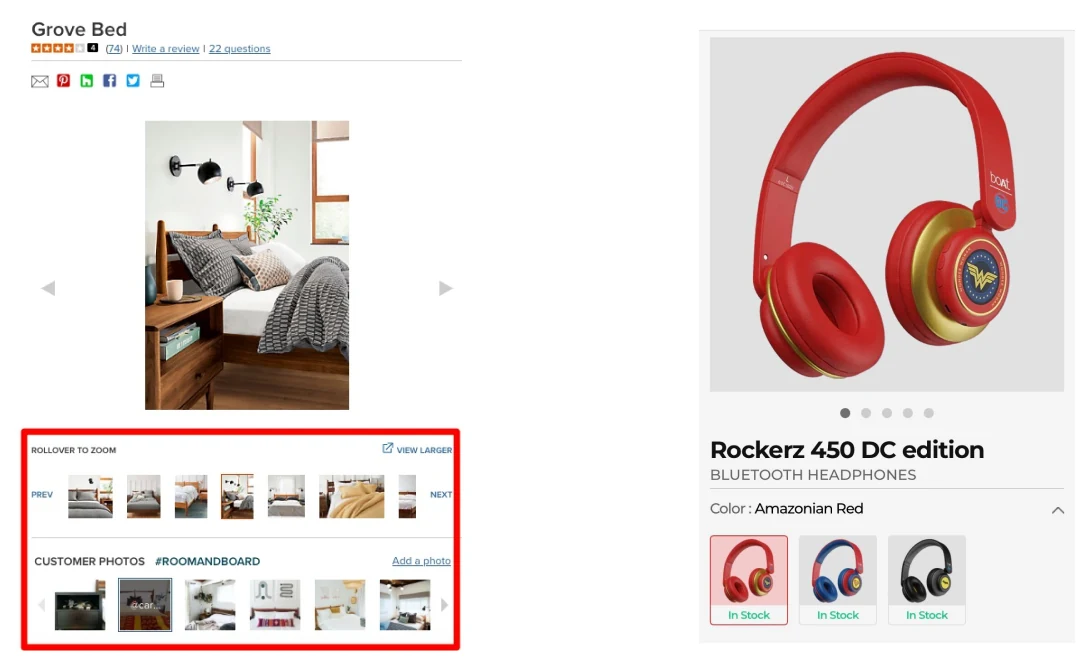
Opportunities for consideration · Idea 4
Product photos with options
Product photos with various options.
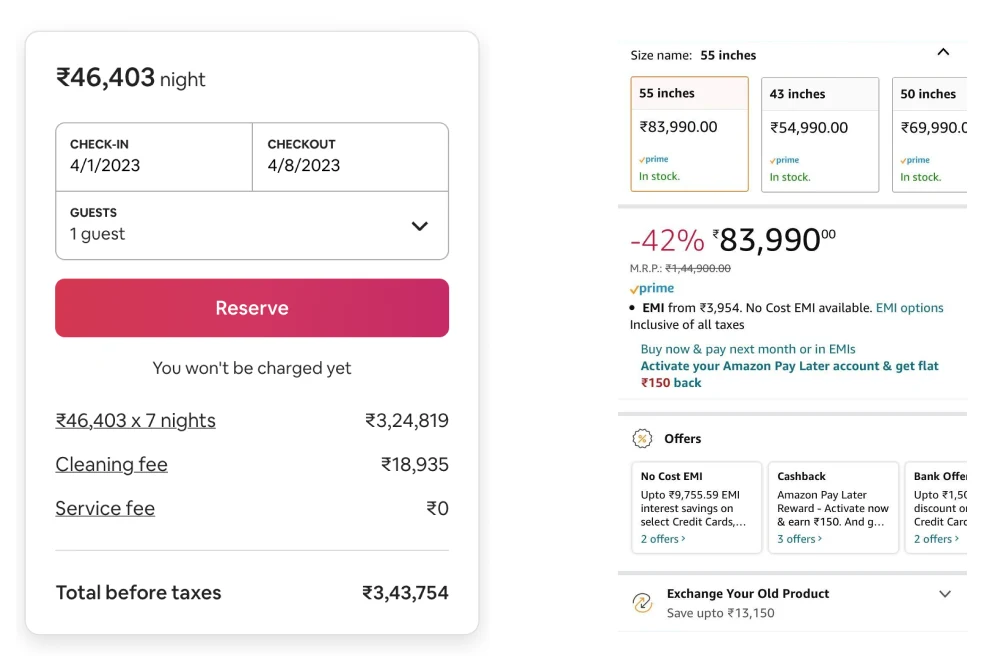
Opportunities for consideration · Idea 5
The full price
Price, including any additional product-specific charges.
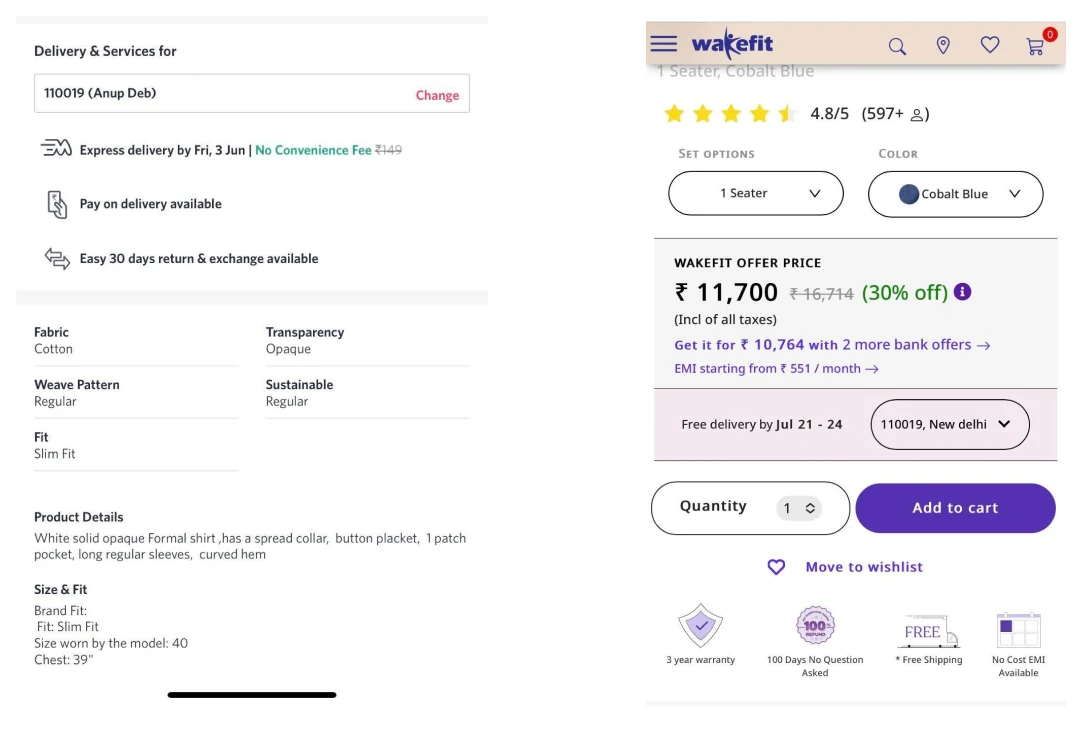
Opportunities for consideration · Idea 6
Availability and delivery time
Product availability and delivery time.
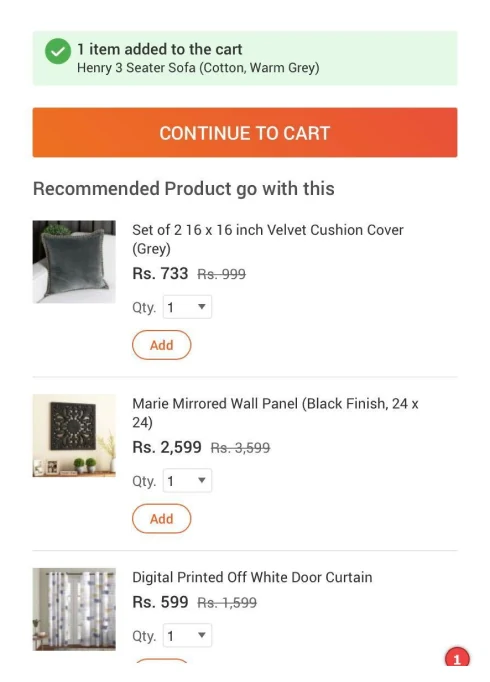
Opportunities for consideration · Idea 7
Clear add-to-cart feedback
A clear way to add the product to the cart, and clear feedback when it has been added.
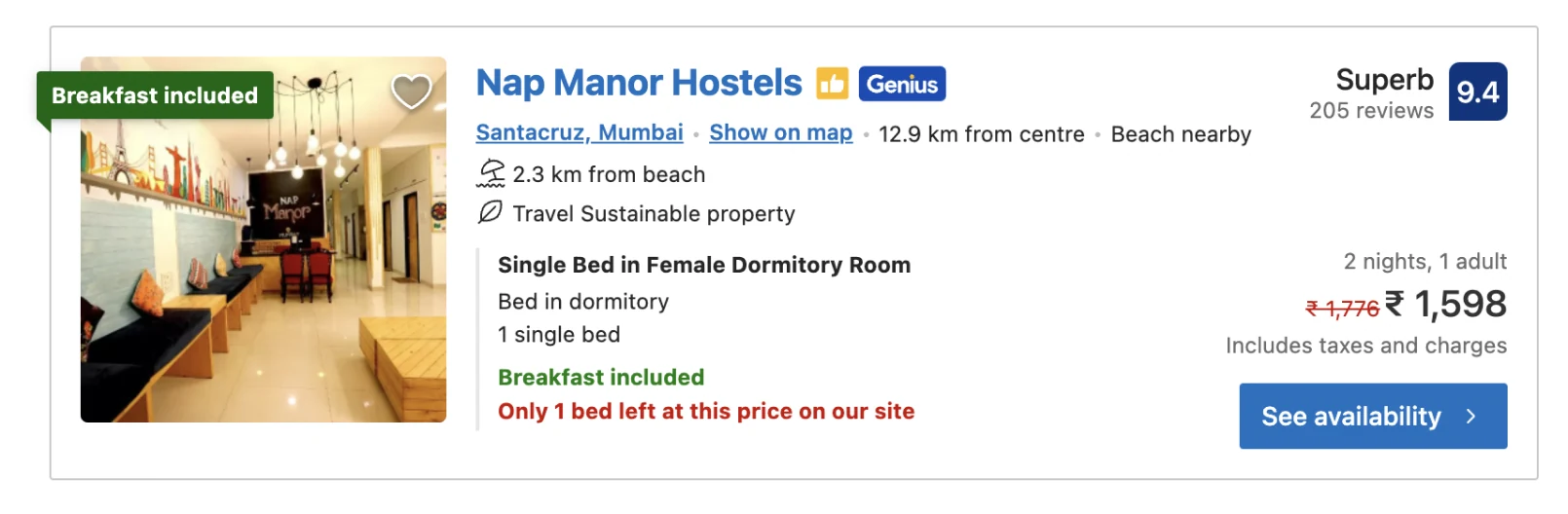
Opportunities for consideration · Idea 8
Social proof and urgency
Bestseller tags, ratings and how many people rated, how many customers are interested, “selling fast” and low-stock warnings, free cancellation. Reference: fomo.com.
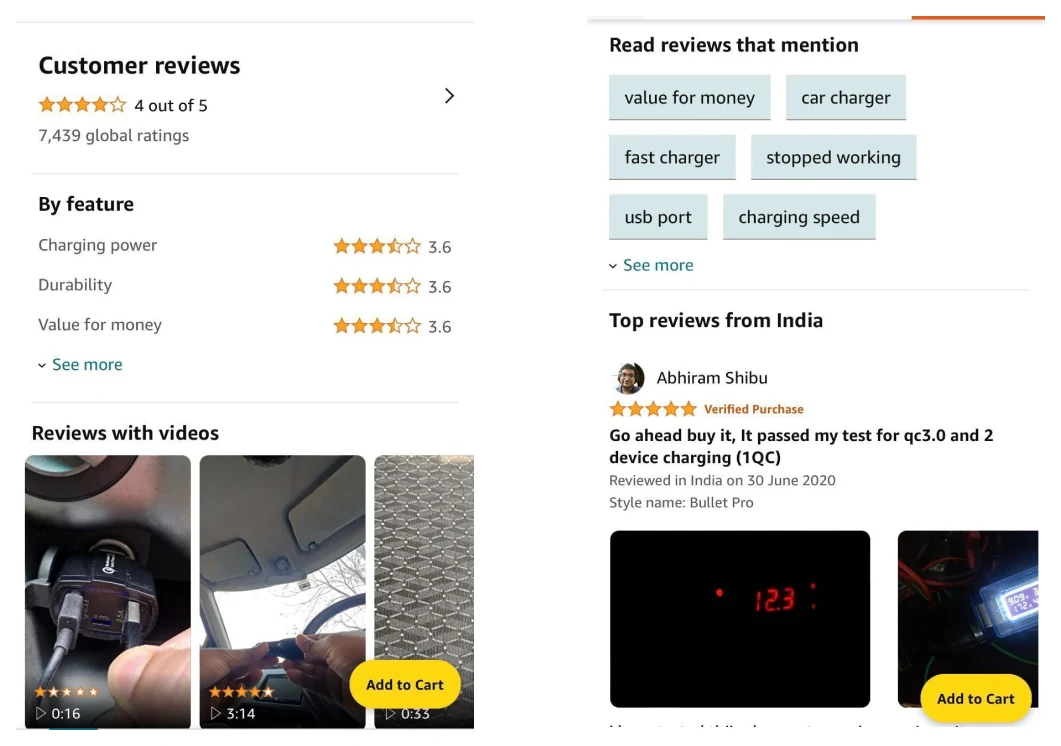
Opportunities for consideration · Idea 9
Ratings and reviews
Customer or expert ratings and reviews, sortable and filterable by rating.
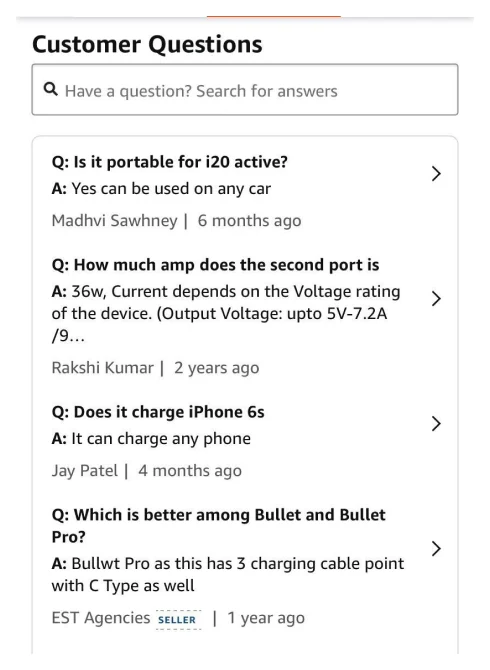
Opportunities for consideration · Idea 10
Questions and answers
Questions and answers on product pages: user-submitted questions with verified answers from the product team.
User flows
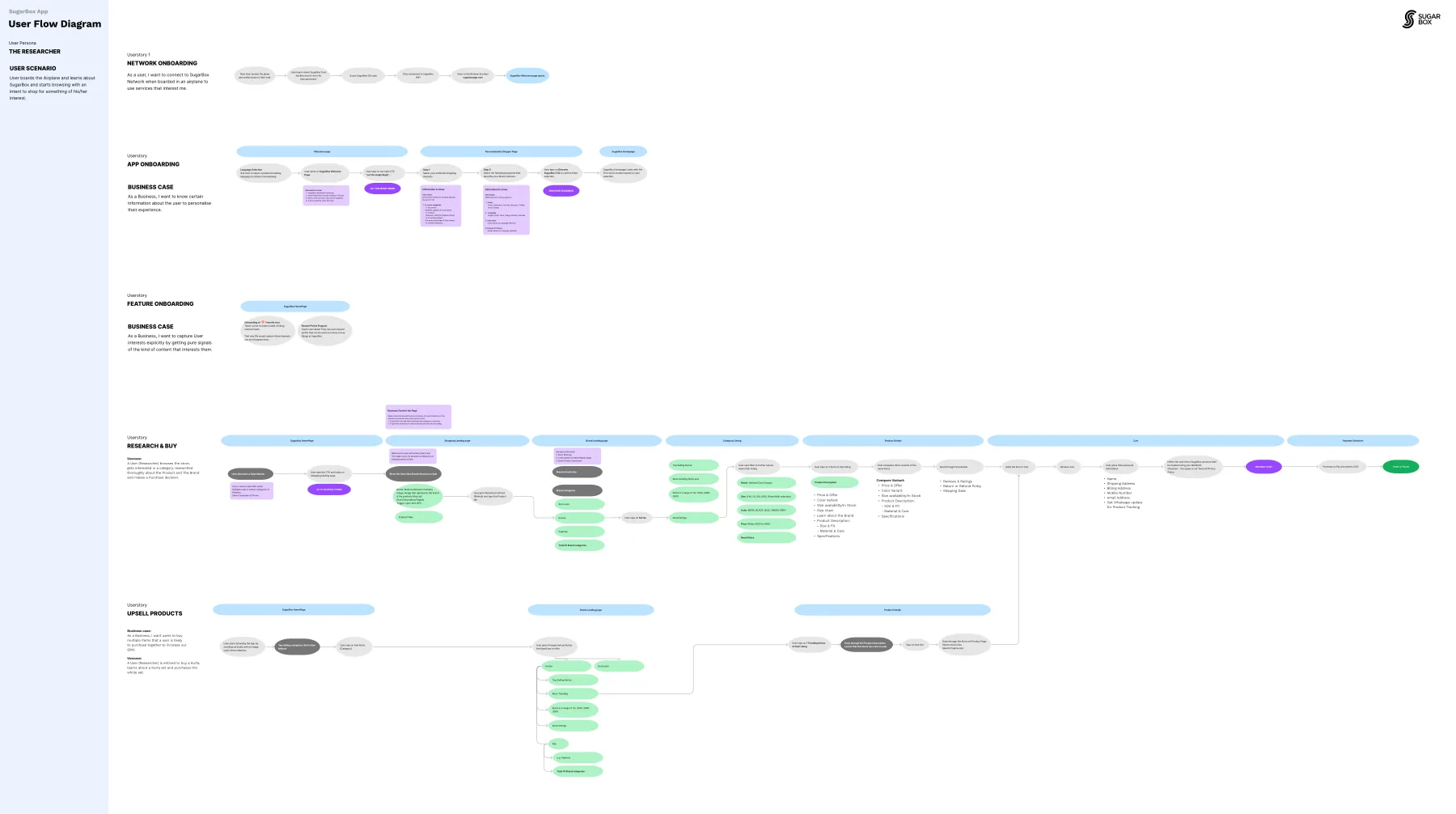
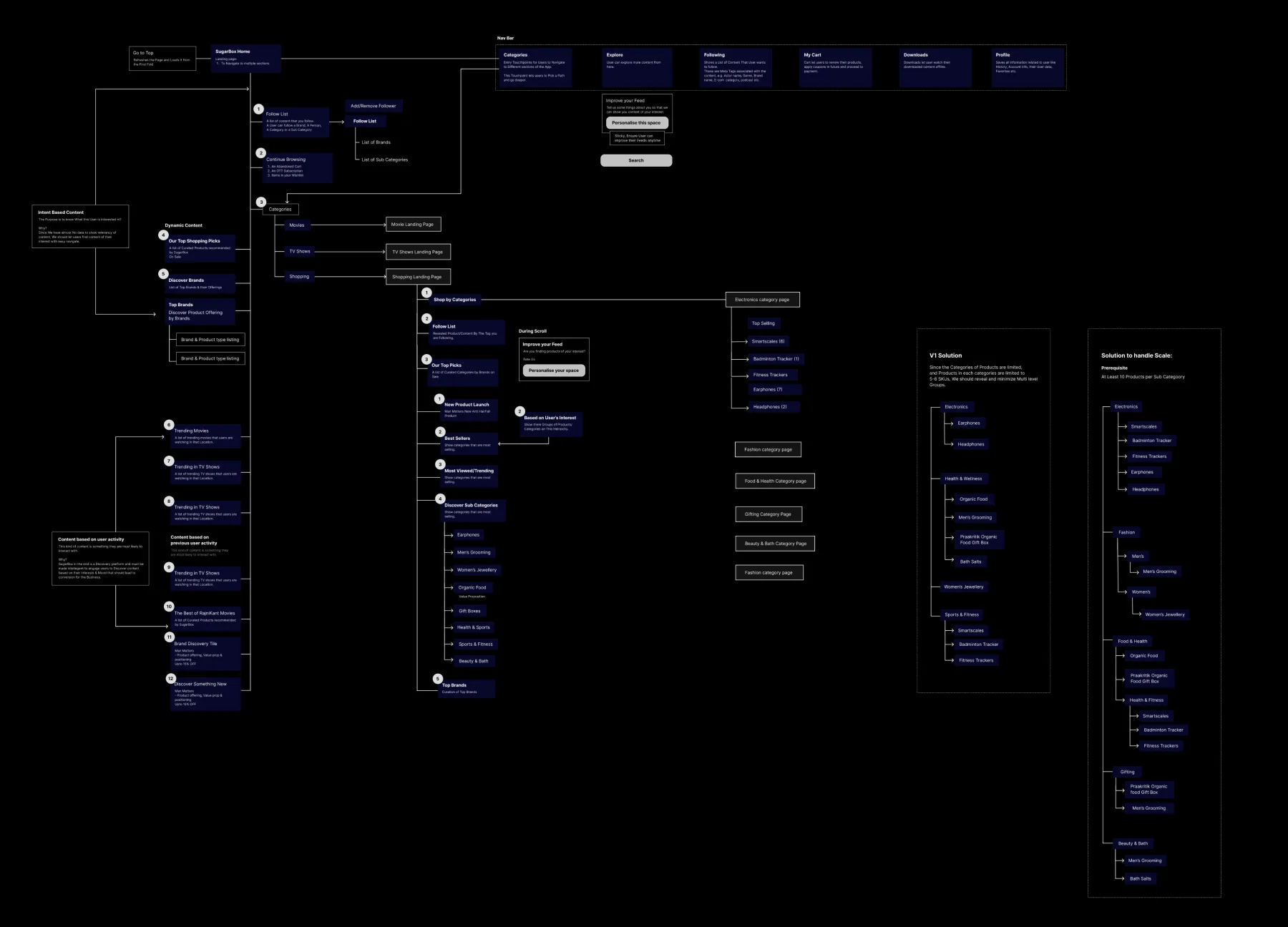
Information architecture
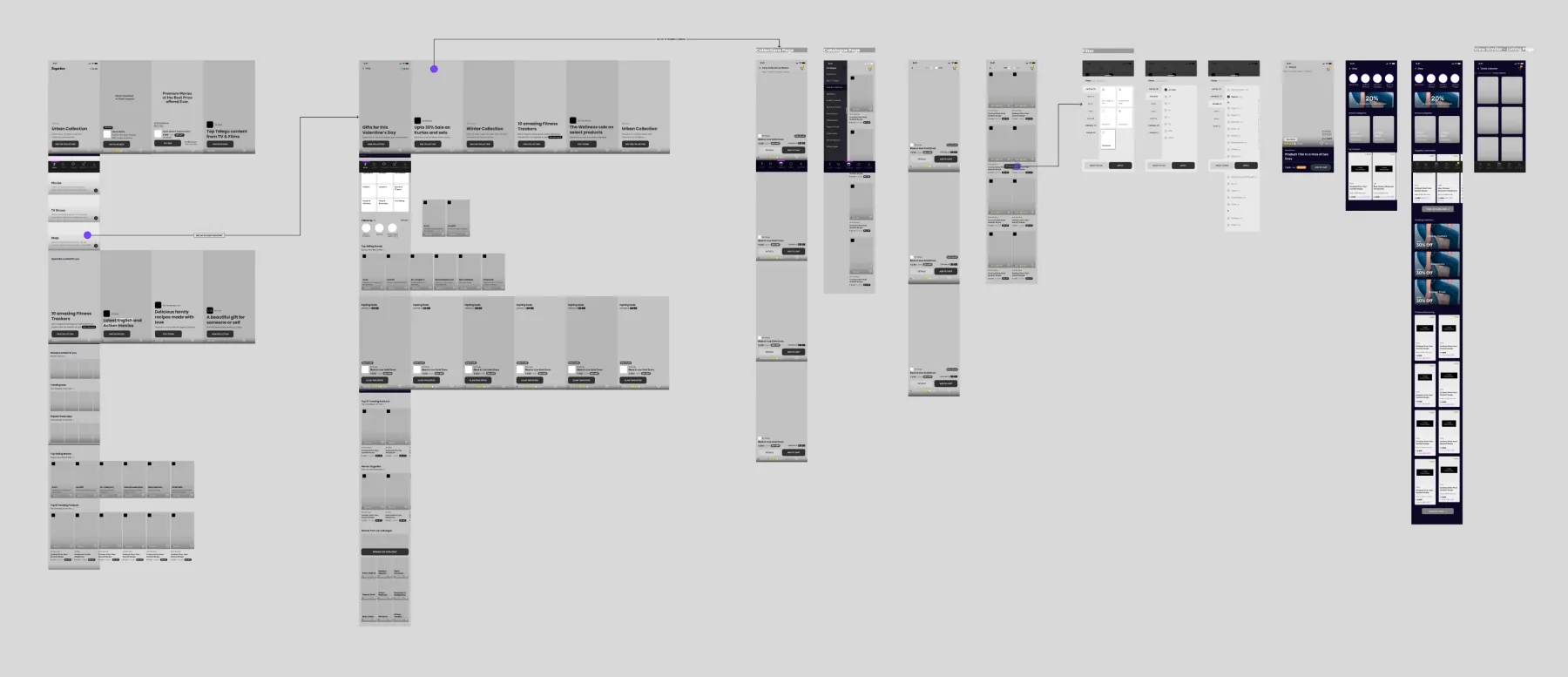
Wireframes
Visual designs
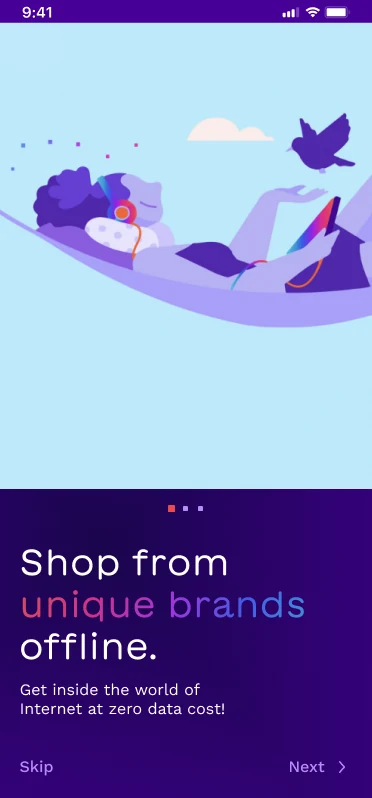
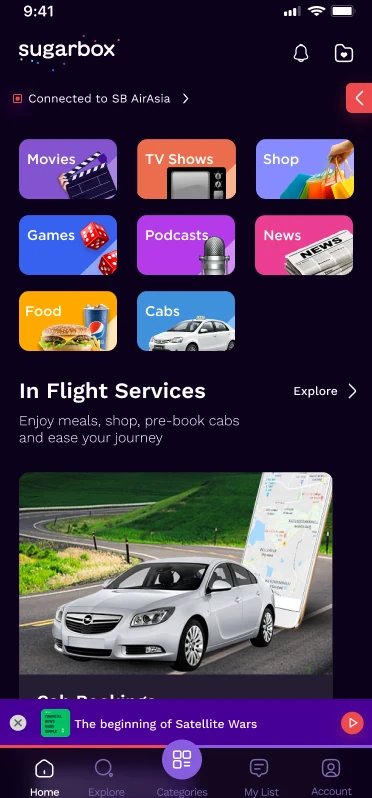
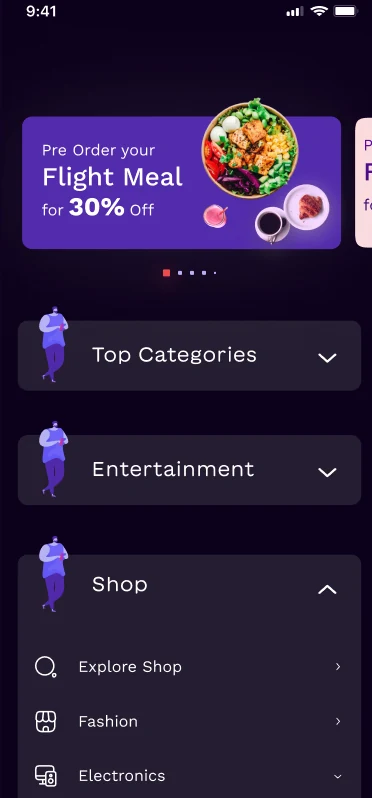
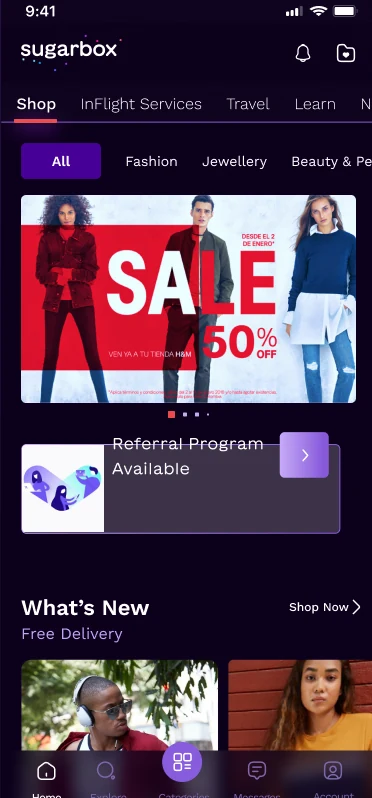
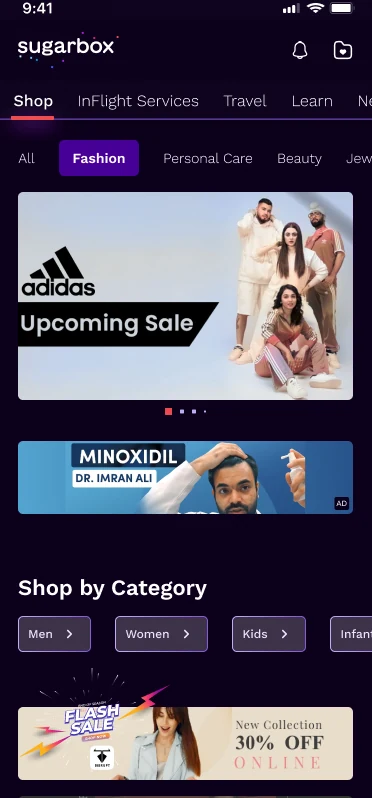
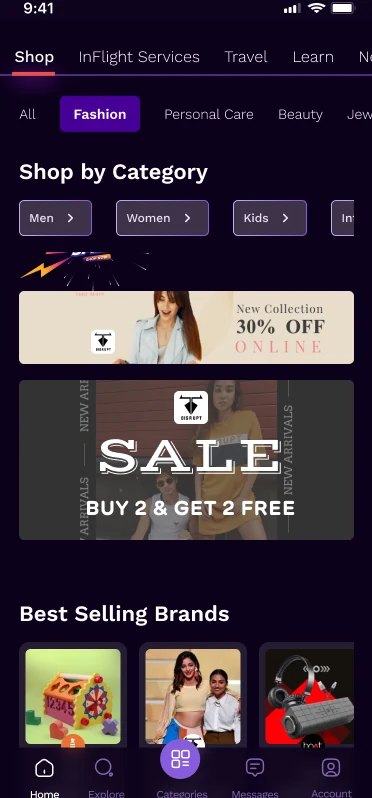
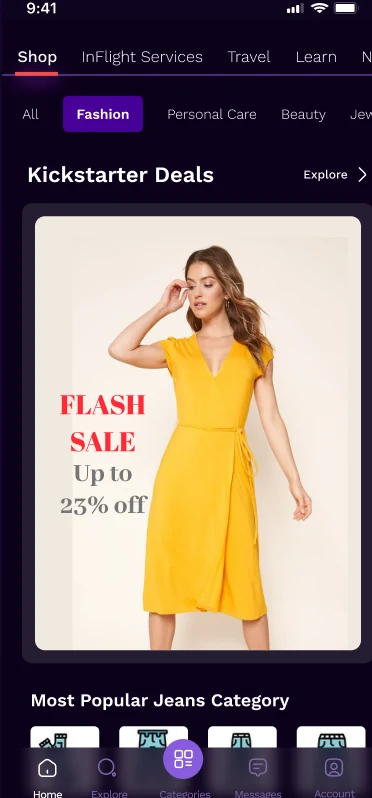
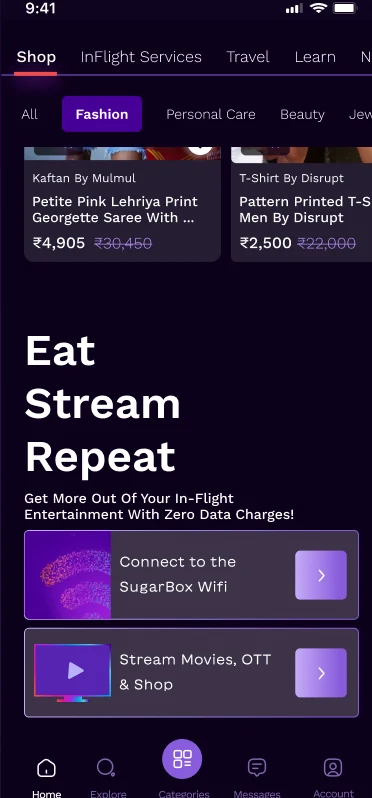
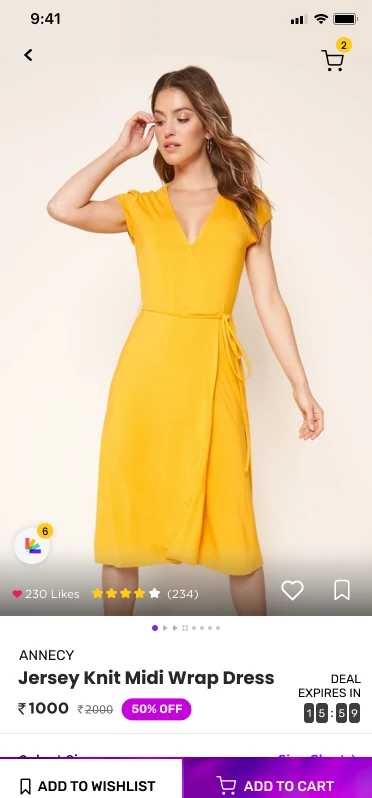
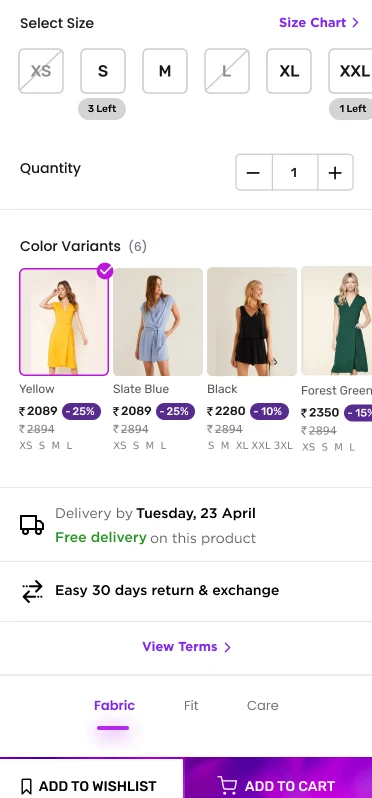
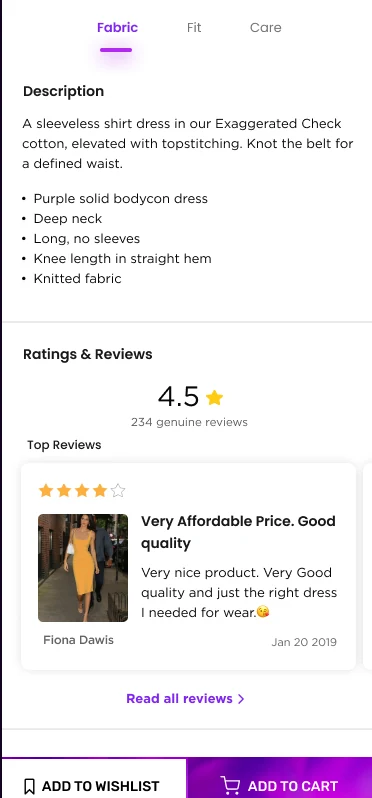
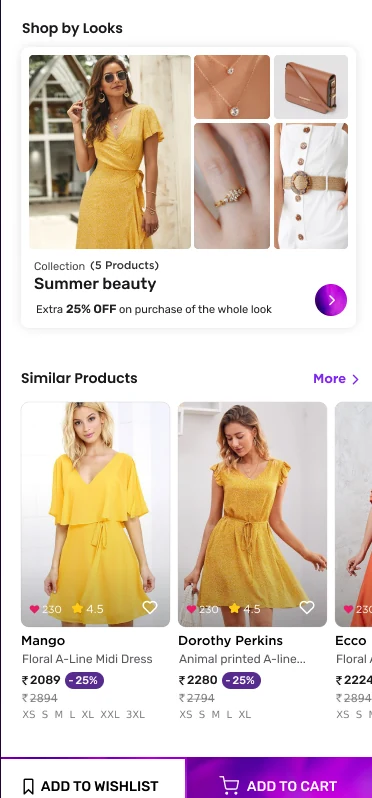
Design in motion
Design system
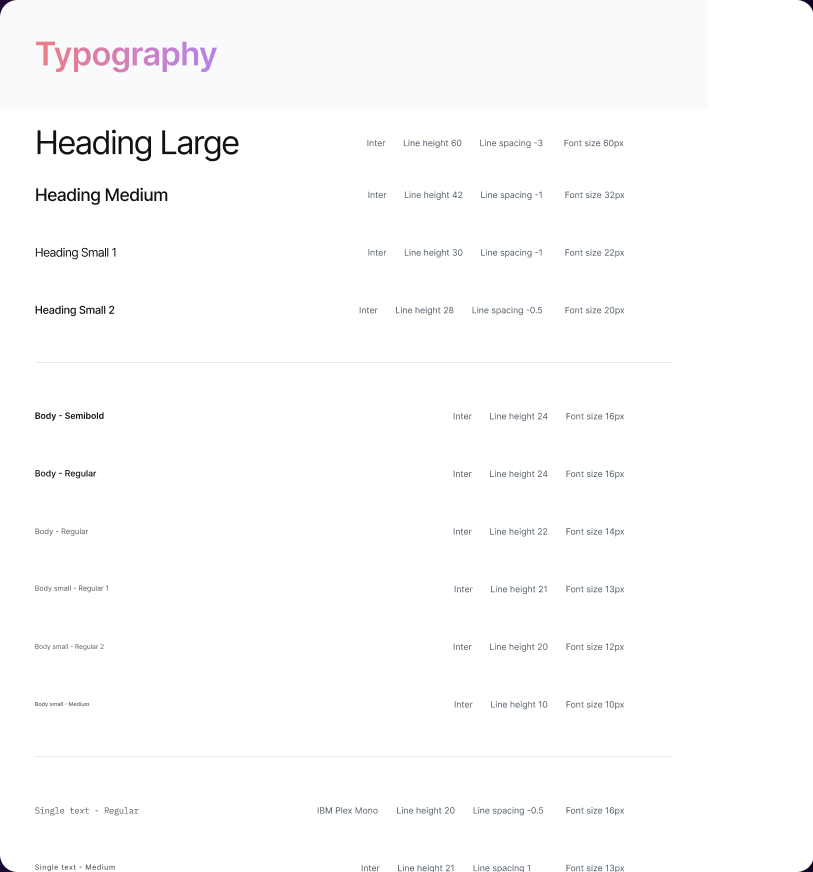
Thank you
Redesign of SugarBox e-commerce app · Director of Design · 2022